Scanning Overview
Last updated: September 17, 2026
Scanning Overview
The Scanning page lets you review default scans, manage scheduled scans, and view scan history. MSP users can also review scan coverage across their tenants.
To open the page, select Scanning from the left navigation menu.
The information displayed depends on where you are logged in: the individual Tenant View or the global MSP View.
Tenant View shows the scans for the current tenant only.
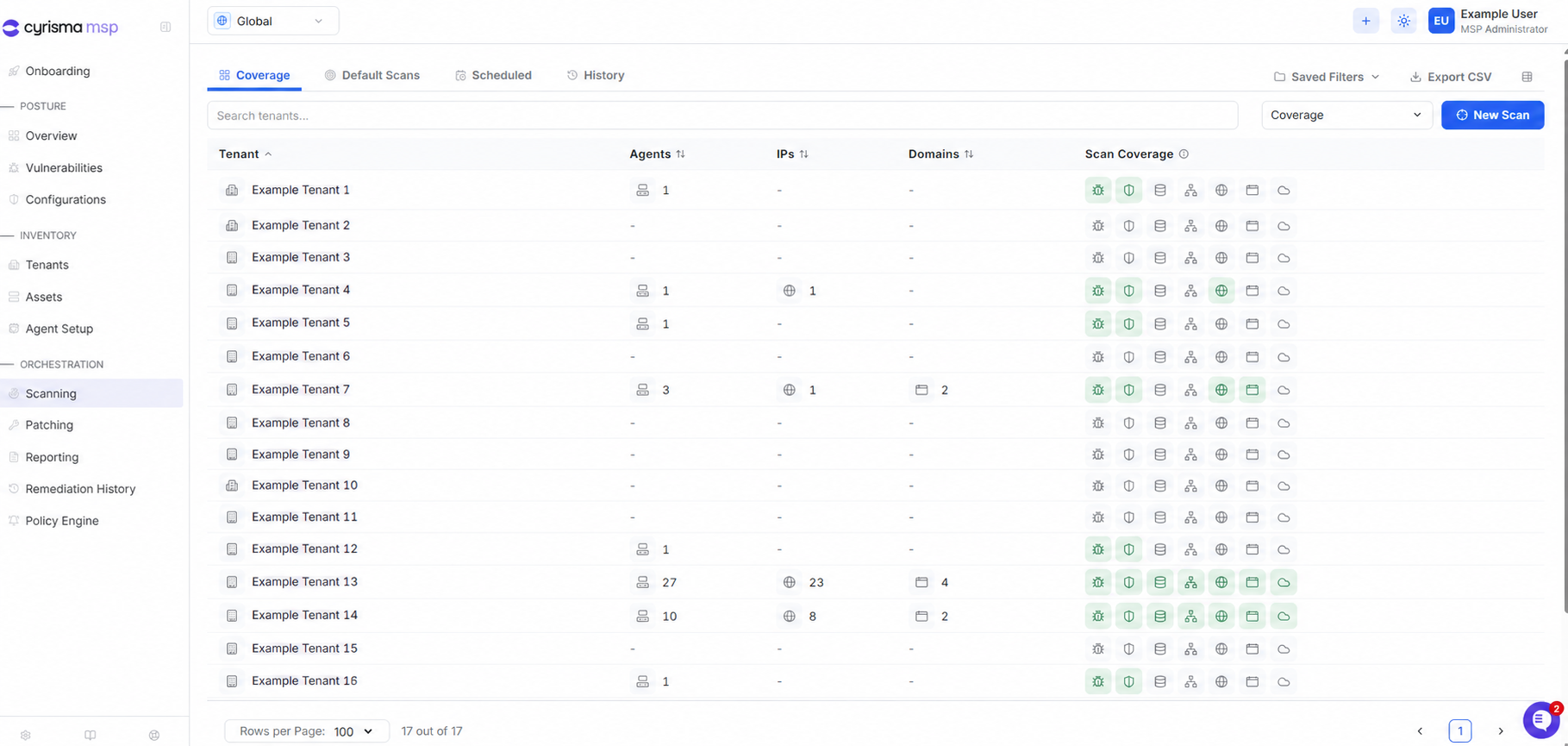
MSP View shows scans across all your managed tenants and includes an additional Coverage tab, which gives an overview of scan coverage across every tenant.
Coverage (MSP View Only)
The Coverage tab is available only from the MSP Global view. It shows the agents, IPs, domains, and scan coverage associated with each tenant.
Default Scans
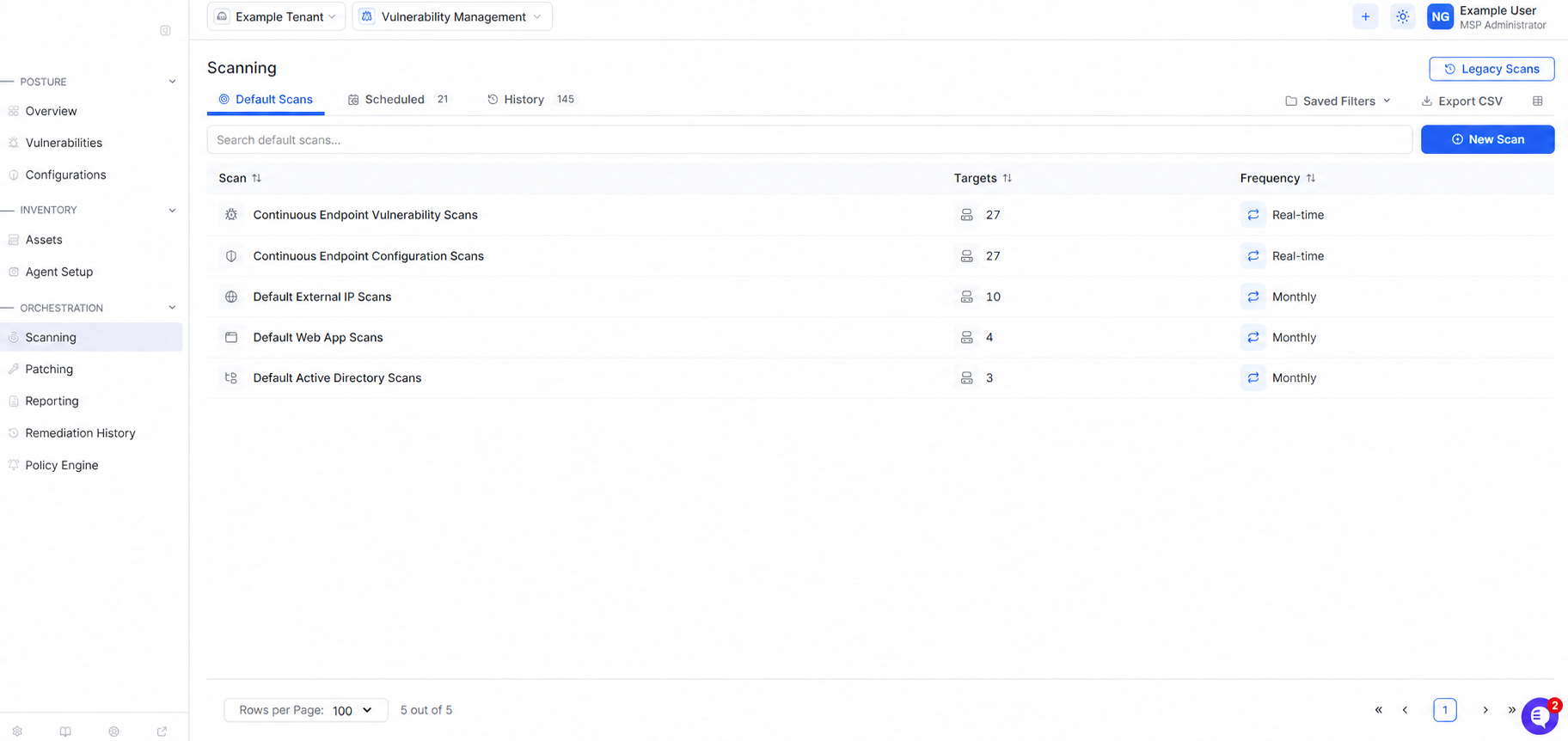
The Default Scans tab shows the scans that Cyrisma runs automatically. It includes endpoint vulnerability, endpoint configuration, external IP, web application, and Active Directory scans.
The Targets and Frequency columns show how many targets are included and how often each scan runs. At the MSP level, the page also shows how many tenants are included.
Scheduled
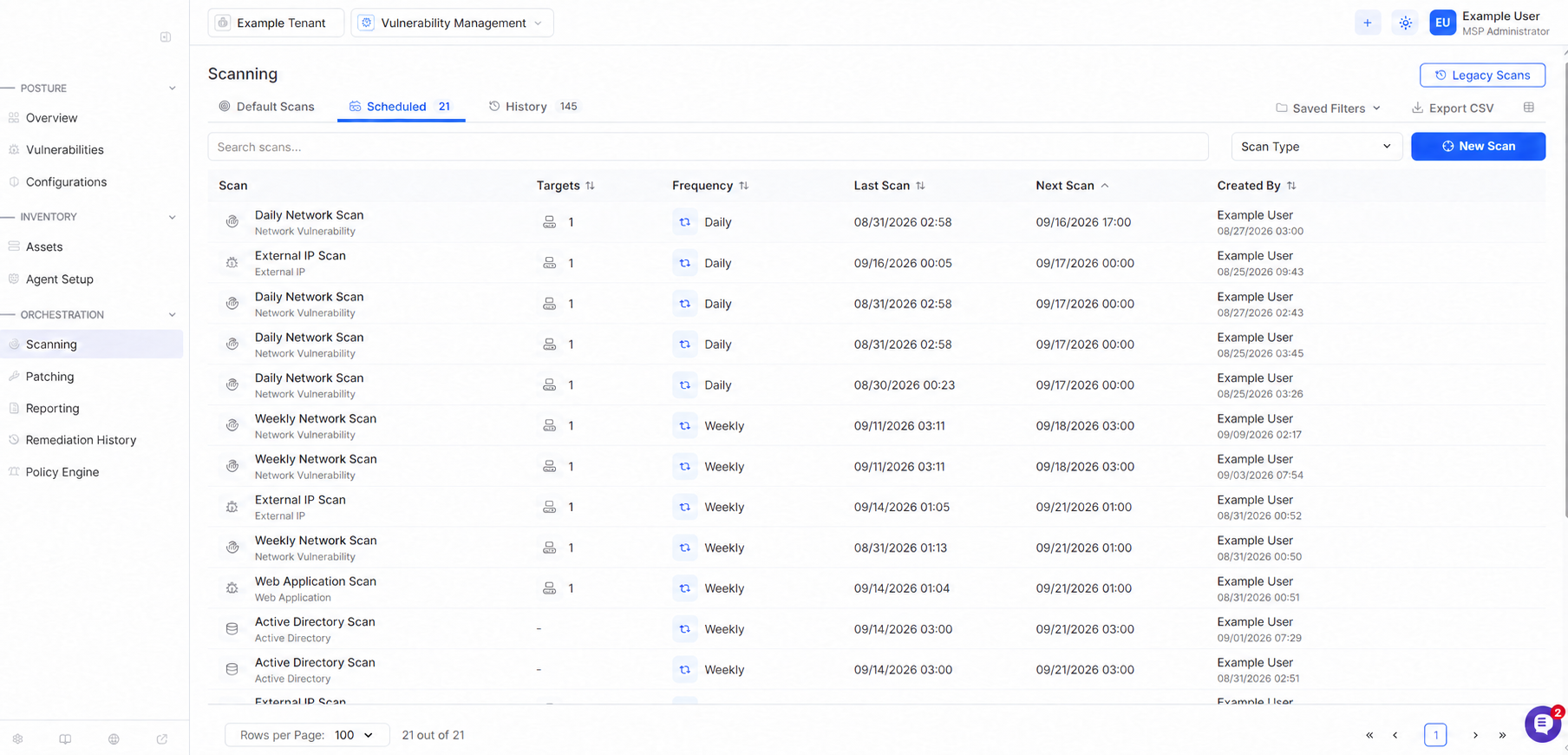
The Scheduled tab shows scans that have been configured to run on a schedule.
At the tenant level, you can view each scan’s targets, frequency, last scan, next scan, and creator. The MSP view shows the number of tenants and targets included in each scheduled scan.
History
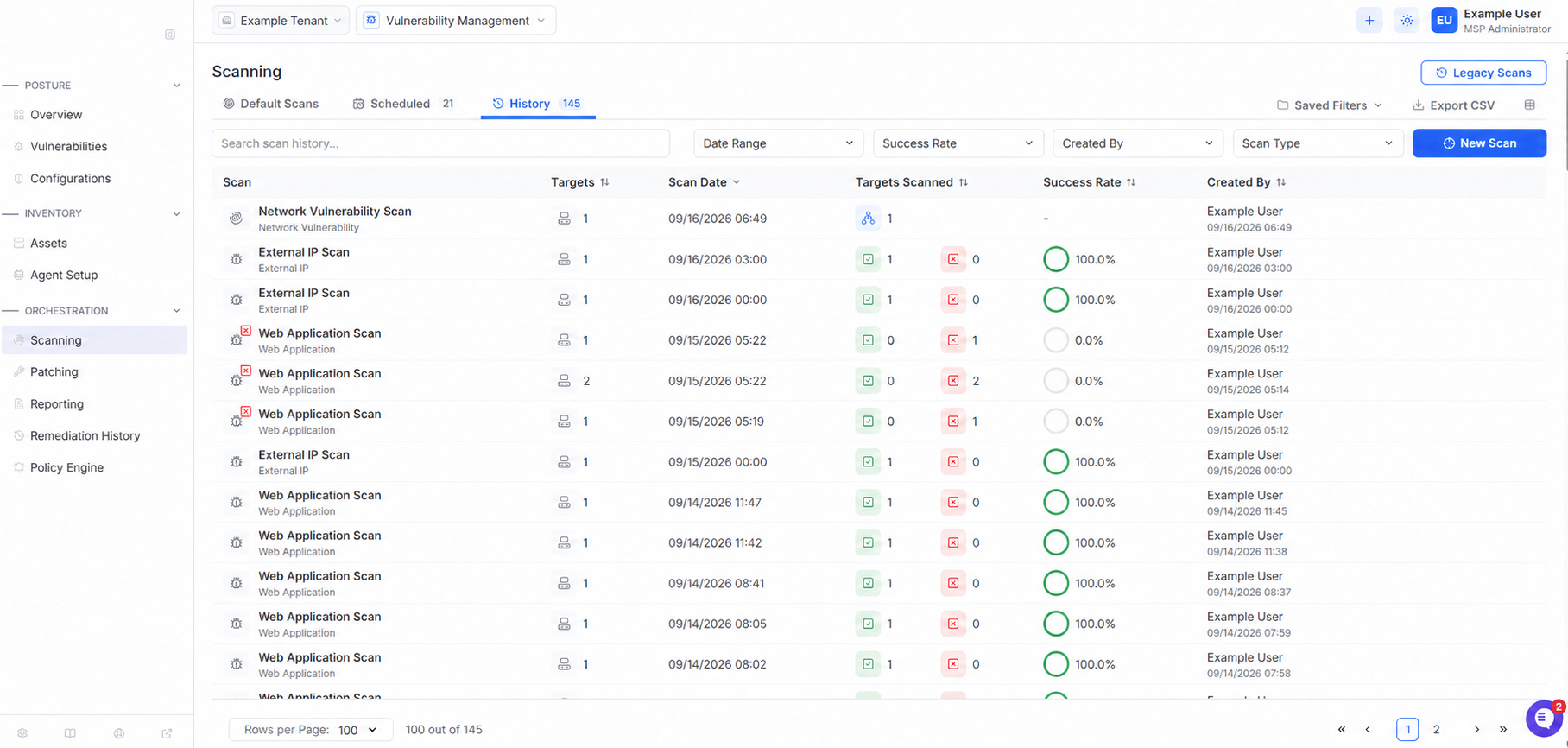
The History tab shows scan activity and results. You can review the scan date, targets scanned, success rate, and creator.
At the global MSP level, the history also identifies the tenant associated with each scan.
Create a Scan
Select New Scan to create a:
Vulnerability Scan
Data Scan
Active Directory Scan