Understanding Endpoint Vulnerability Scans
Last updated: September 17, 2026
Cyrisma continuously collects vulnerability data from every endpoint with the Cyrisma agent installed. Results update automatically as the endpoint state changes.
How Endpoint Vulnerability Scanning Works
Every endpoint with the Cyrisma agent installed is included automatically. There is no authenticated endpoint vulnerability scan to create, schedule, or configure.
Users moving from the legacy platform do not need to recreate their authenticated vulnerability scan schedules.
Tenant users see results for their current tenant. MSP users can review results across their managed tenants.
View Vulnerability Results
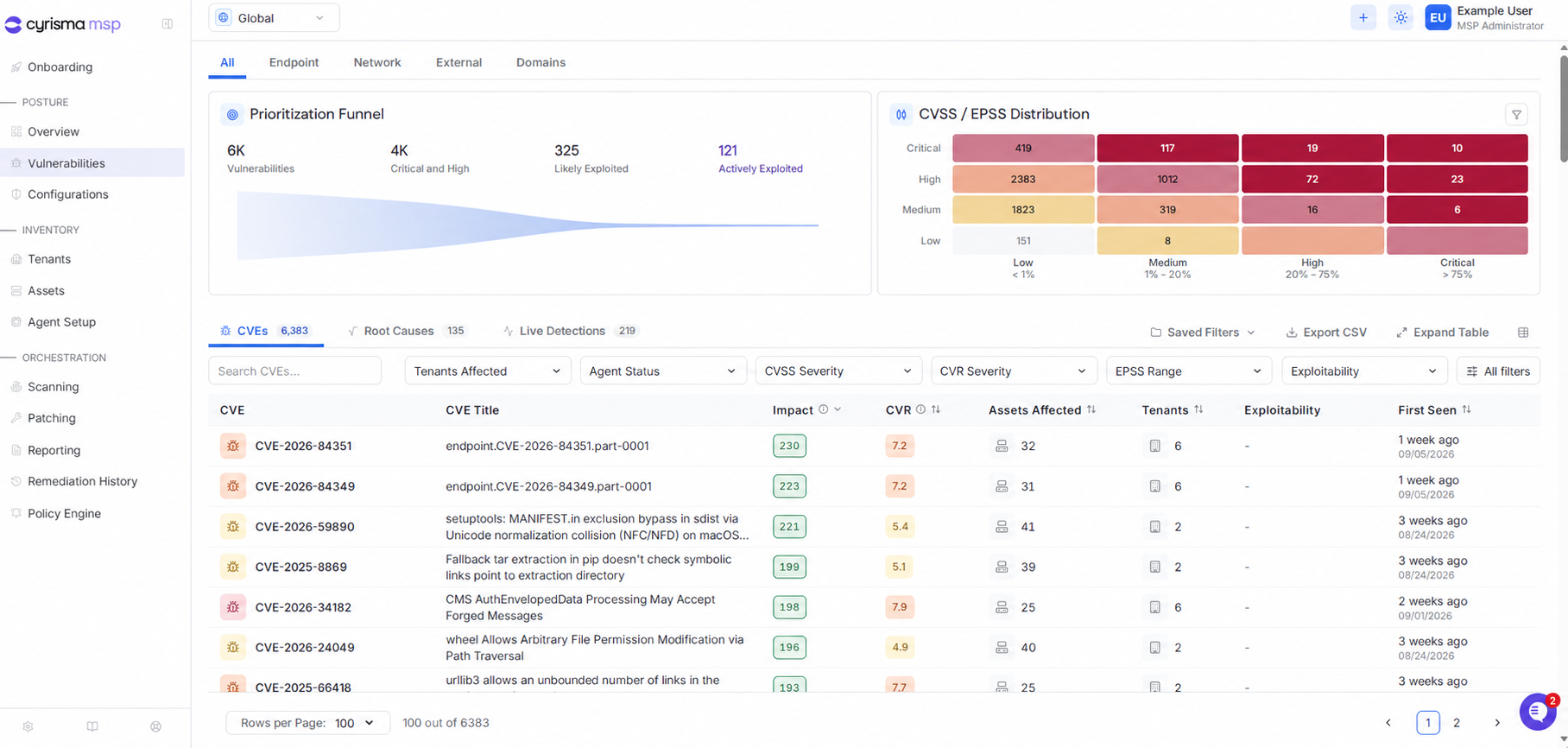
Select Vulnerabilities from the navigation menu.
Select Endpoint to focus on vulnerability data collected from agent-managed endpoints.
The Vulnerabilities page provides access to:
CVEs
Root Causes
Live Detections
Use the search field and filters to narrow the results. MSP users can also filter by tenant.
View Results for an Endpoint
Select Assets from the navigation menu.
Open the endpoint.
Select Vulnerability.
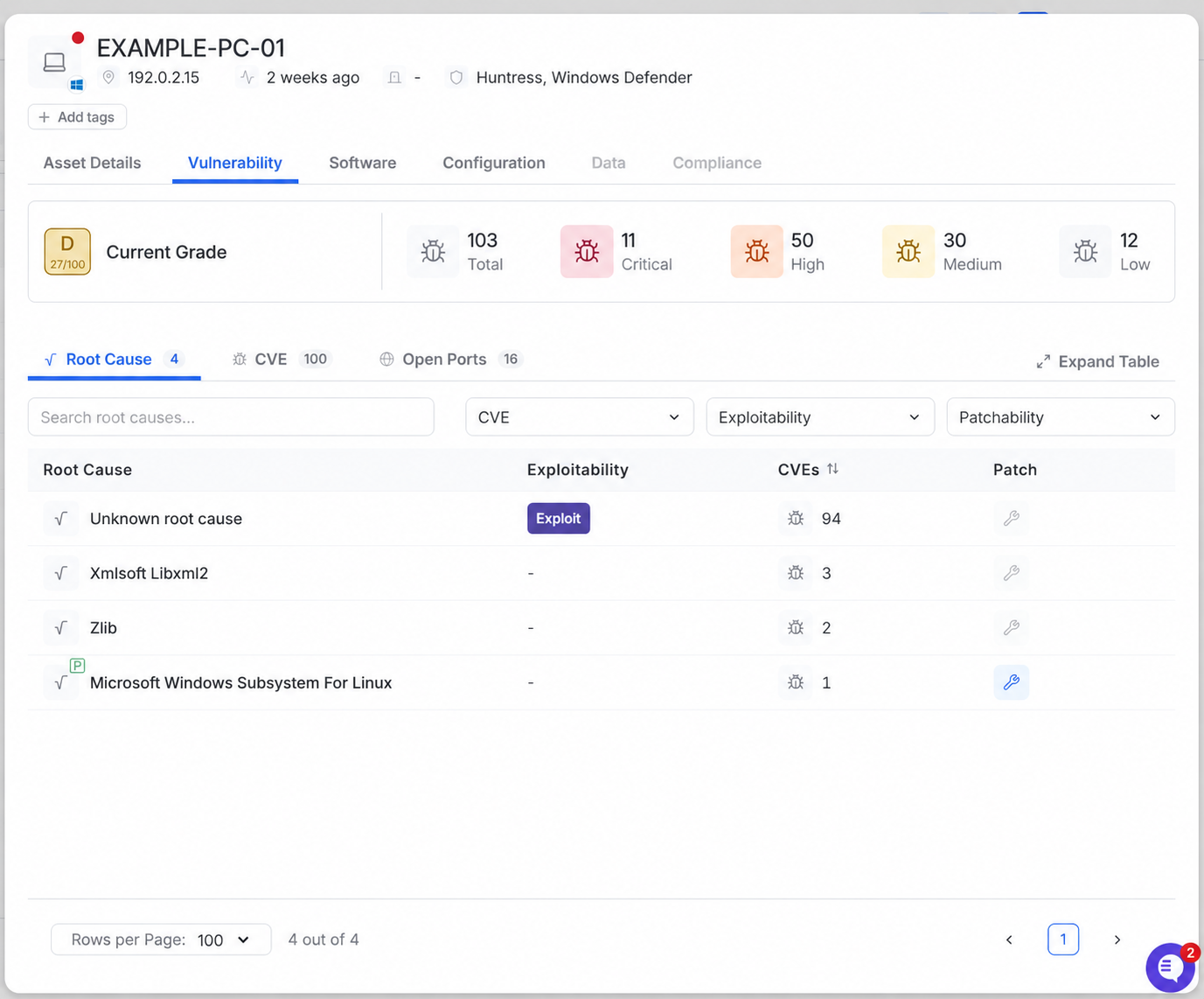
The Vulnerability tab shows the endpoint’s current vulnerability grade, severity totals, root causes, CVEs, and detected open ports.