Dark Web Monitoring
Last updated: September 9, 2026
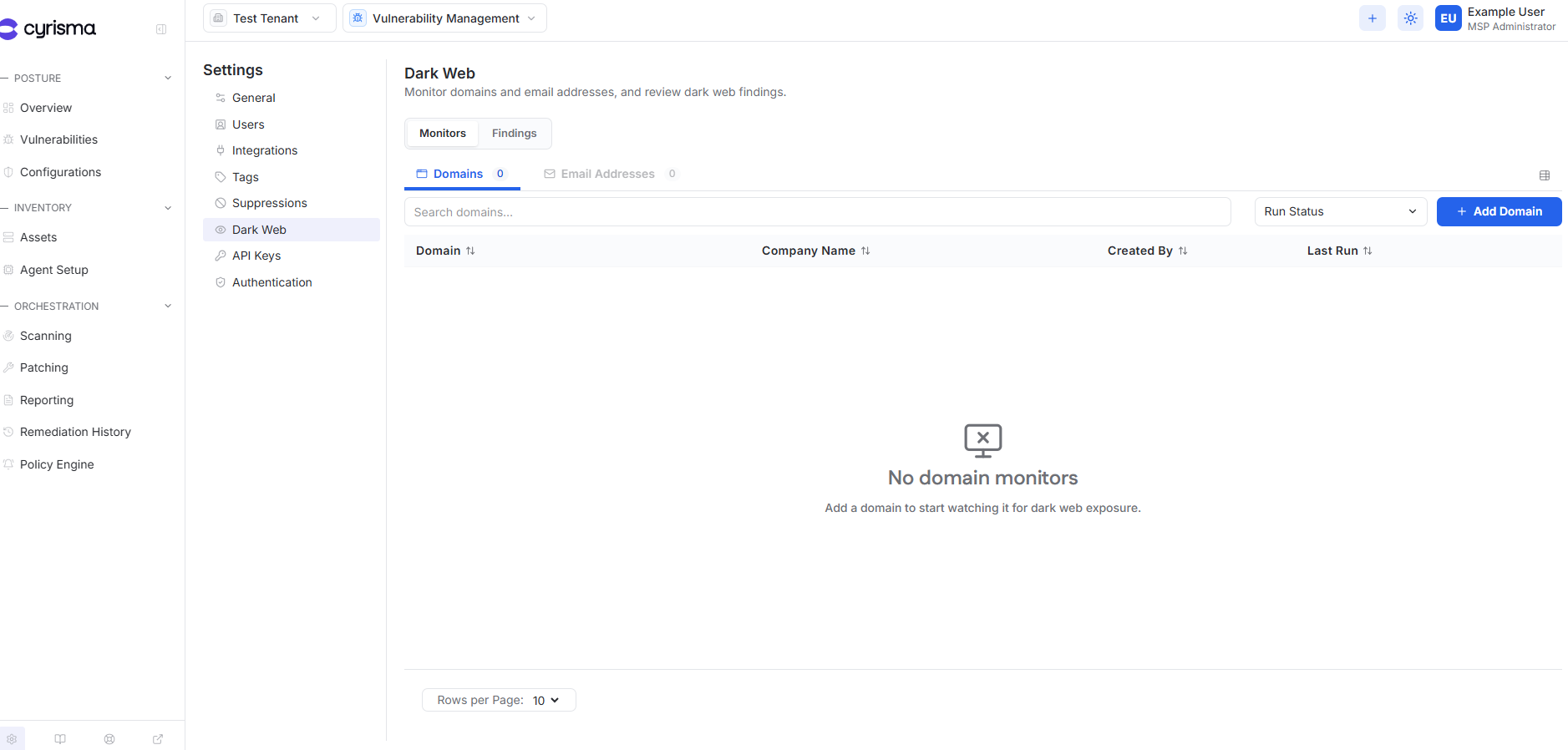
Use Dark Web Monitoring to monitor domains and individual email addresses for dark web exposure and review detected findings.
Open Dark Web Monitoring
Open Settings.
Select Dark Web.
Dark Web includes:
Monitors — configure domains and email addresses to monitor.
Findings — review identified dark web exposure.
Monitor a Domain
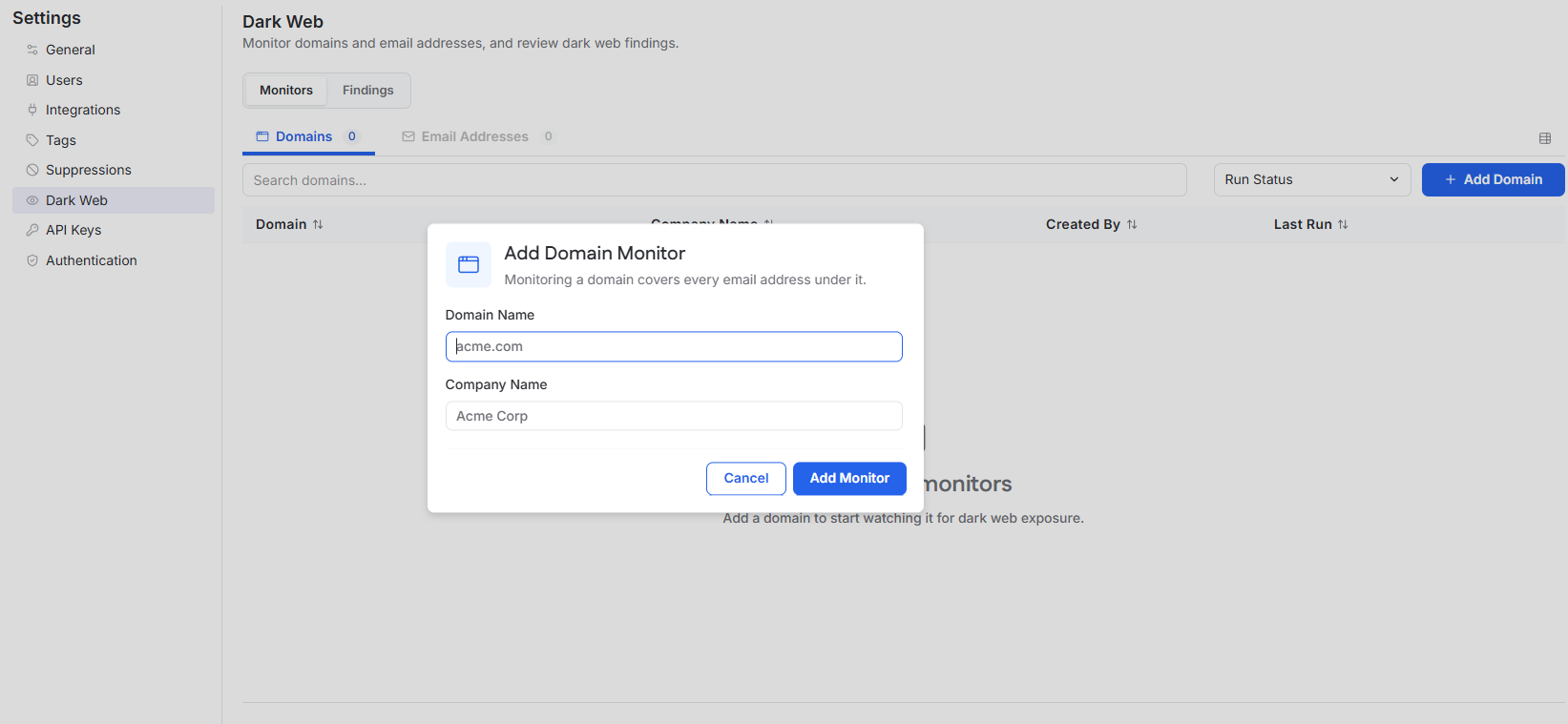
A domain monitor searches for dark web exposure associated with the domain and email addresses under that domain.
Open Monitors > Domains.
Select Add Domain.
Enter the Domain Name.
Enter the Company Name.
Select Add Monitor.
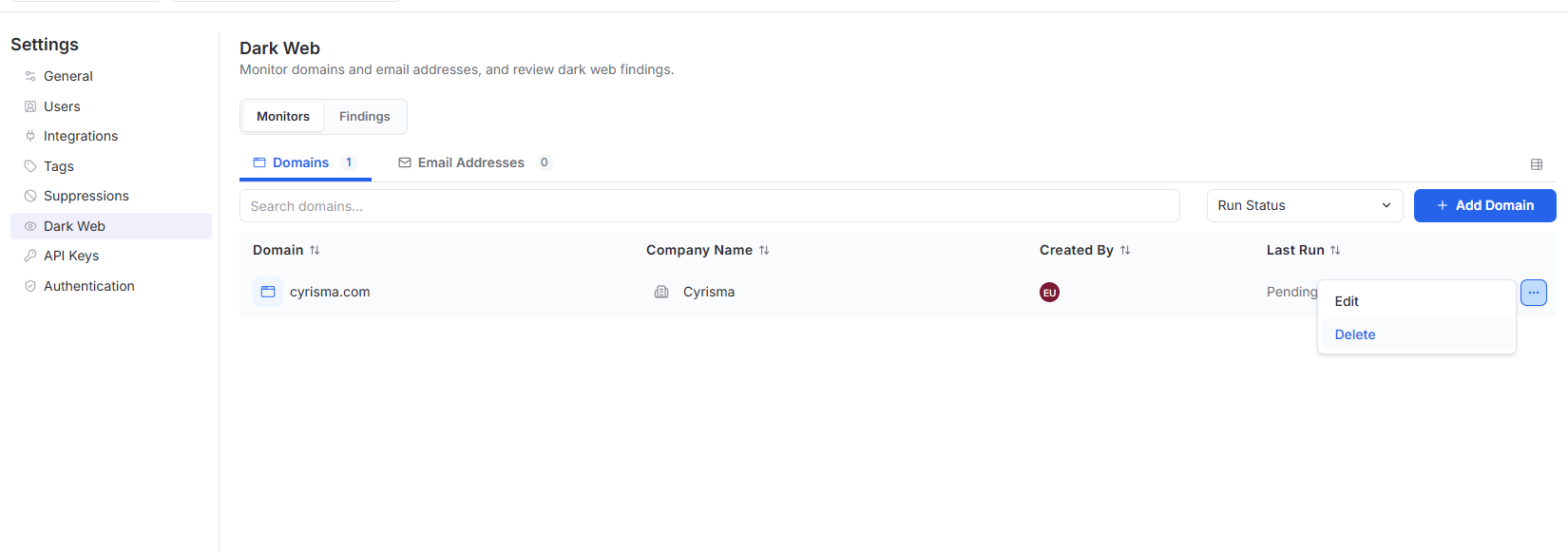
Configured domains appear in the Domains list with their monitoring status and last run information.
Monitor an Individual Email Address
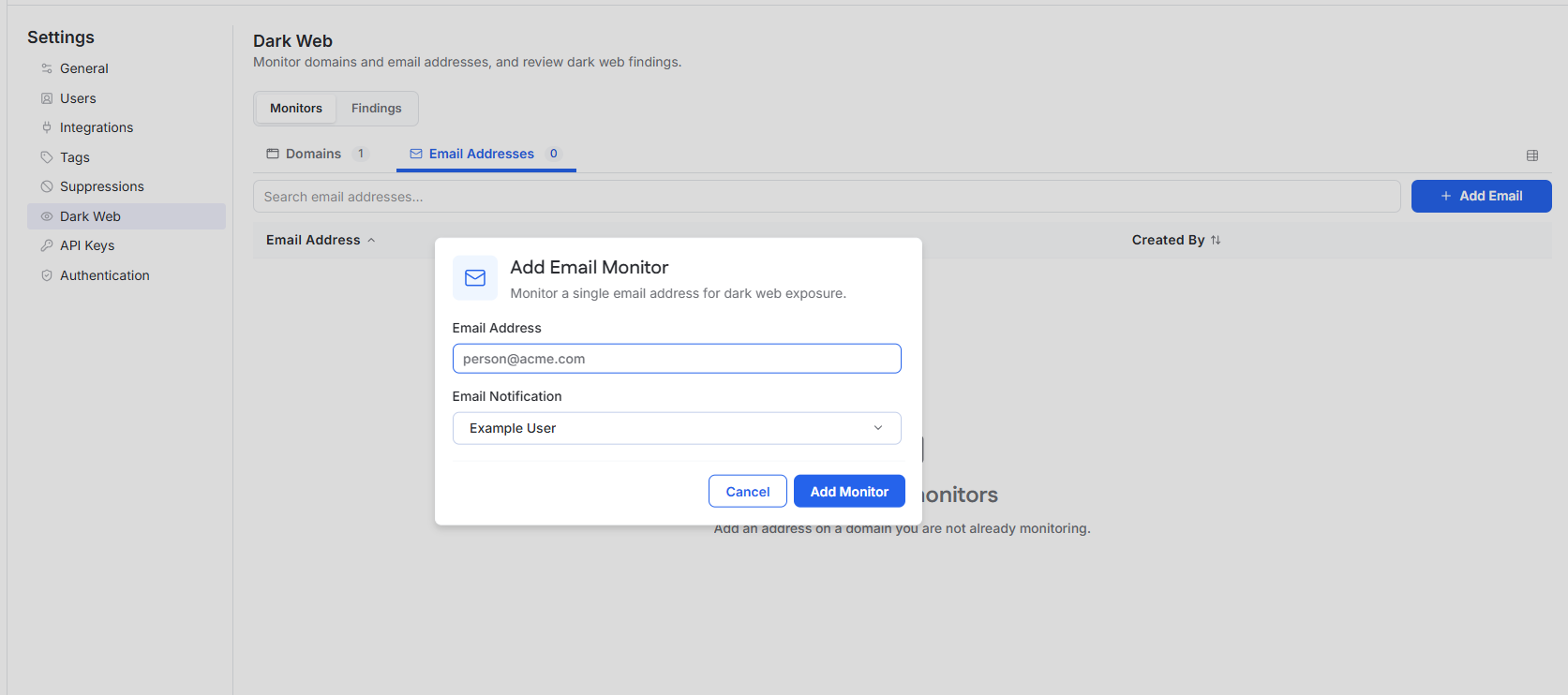
Use an email monitor for an individual address outside the domains already being monitored.
Open Monitors > Email Addresses.
Select Add Email.
Enter the Email Address.
Select the user who should receive email notifications.
Select Add Monitor.
Manage Monitors
Use the ellipsis menu beside a monitor to edit or delete it.
For domain monitors, the Company Name can be edited, but the Domain Name cannot be changed. To monitor a different domain, delete the existing monitor and create a new one.
Deleting a monitor stops new findings from being collected for it. Existing findings remain available.
Review Findings
Open Findings to review results identified for monitored domains and email addresses.
Findings are organized into:
Breach Data
Forums / MP / Ransomware
Email Address Search
Use search and filters to investigate findings. Findings can also be exported to CSV.