Understanding Endpoint Configuration Scans
Last updated: September 17, 2026
Cyrisma continuously evaluates the configuration posture of every endpoint with the Cyrisma agent installed. Results update automatically as endpoint configurations change.
How Configuration Scanning Works
Any endpoint with the Cyrisma agent installed is scanned automatically. The agent monitors the endpoint's configuration and updates the results whenever a setting changes, so the data you see always reflects the endpoint's current state.
Tenant users see results for their current tenant. MSP users can review results across their managed tenants.
View Configuration Results
Select Configurations from the navigation menu.
Select Assets, Tests, or Benchmarks.
MSP users can filter the results by tenant.
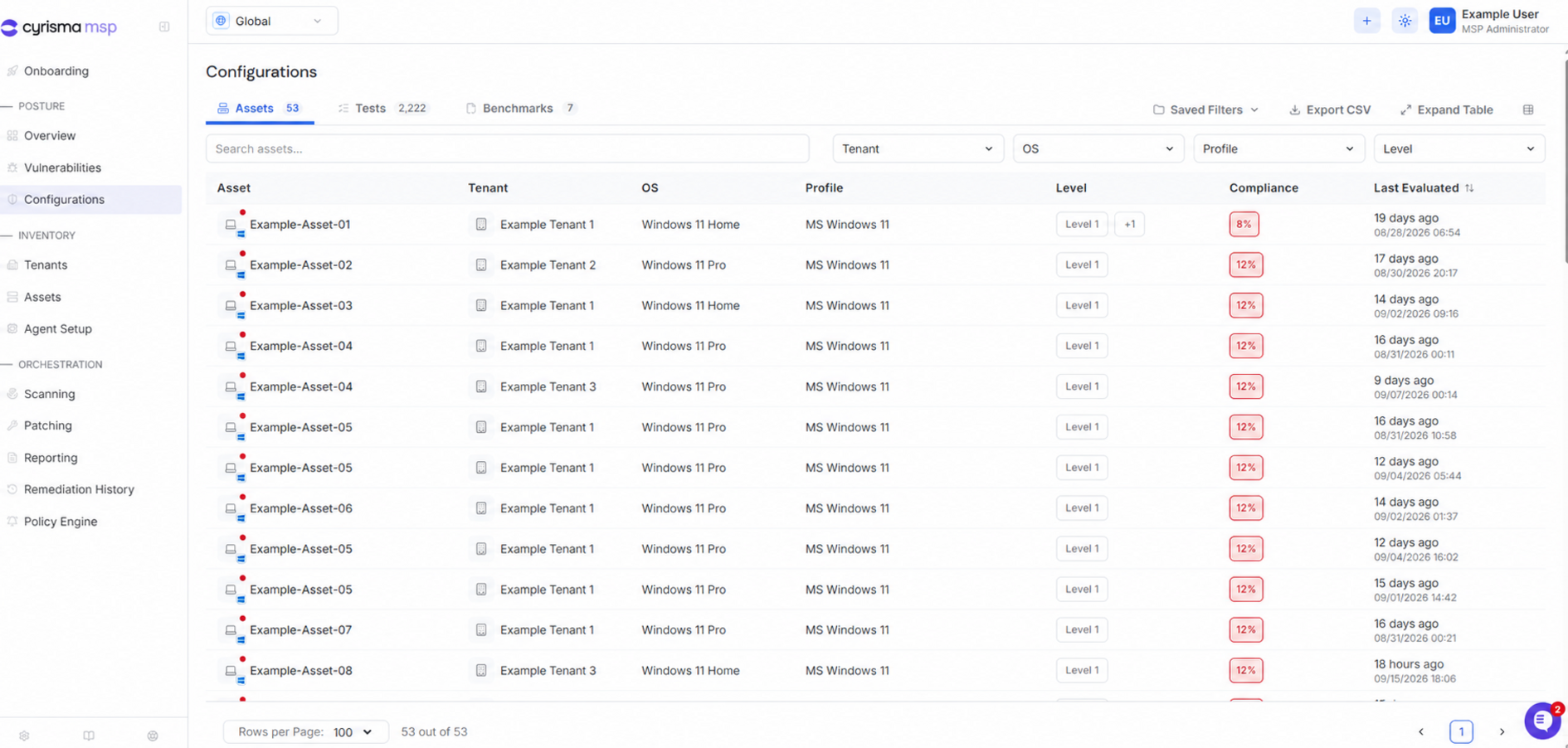
Assets
The Assets tab shows configuration compliance by endpoint.
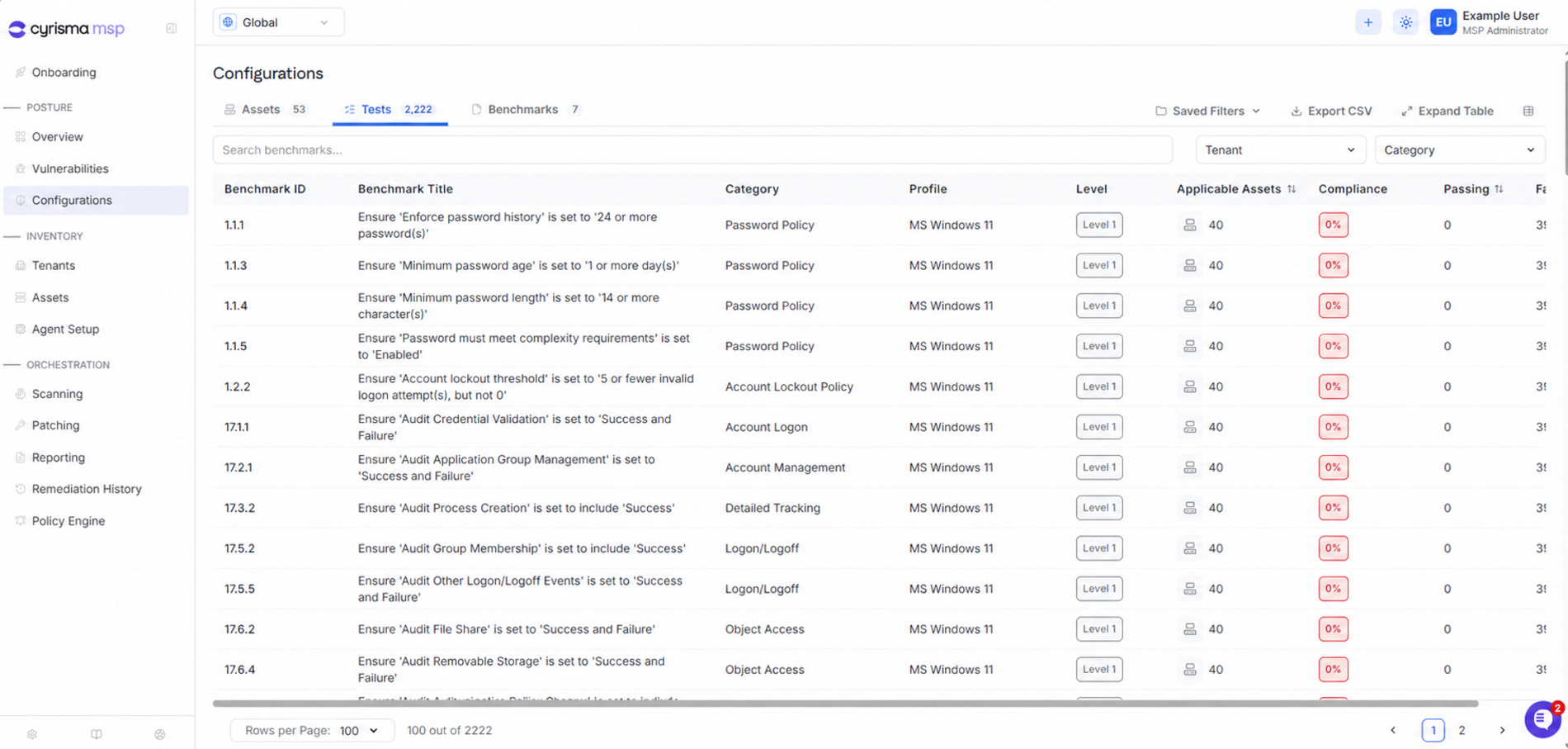
Tests
The Tests tab shows the results of individual configuration checks across applicable endpoints.
Use the search field and filters to narrow the results.
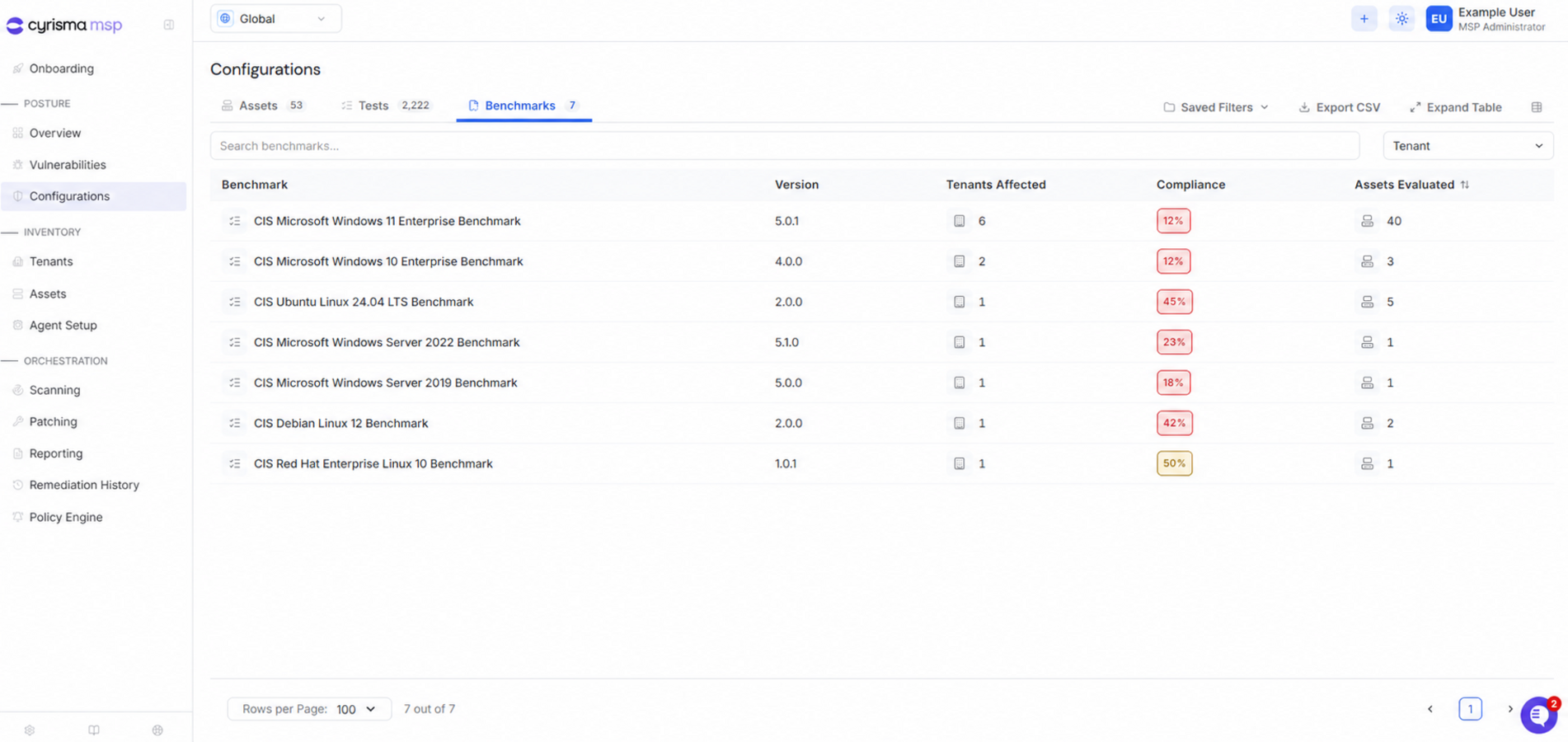
Benchmarks
The Benchmarks tab groups configuration results by benchmark and version.
MSP users can also see how many tenants are affected.
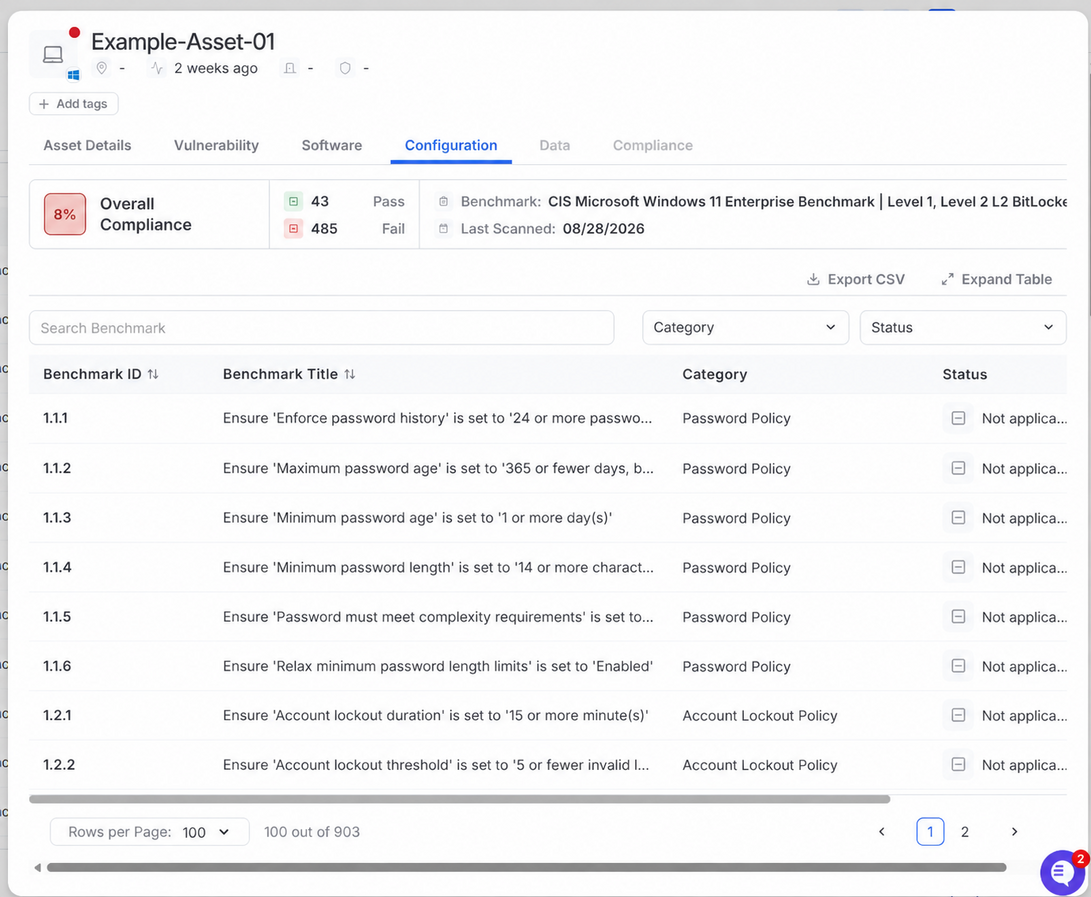
View Results for an Endpoint
Select Assets from the navigation menu.
Open the endpoint.
Select Configuration.