Reporting Overview
Last updated: September 17, 2026
Use Reporting to generate reports, manage report schedules, and download completed reports. Select Reporting from the navigation menu.
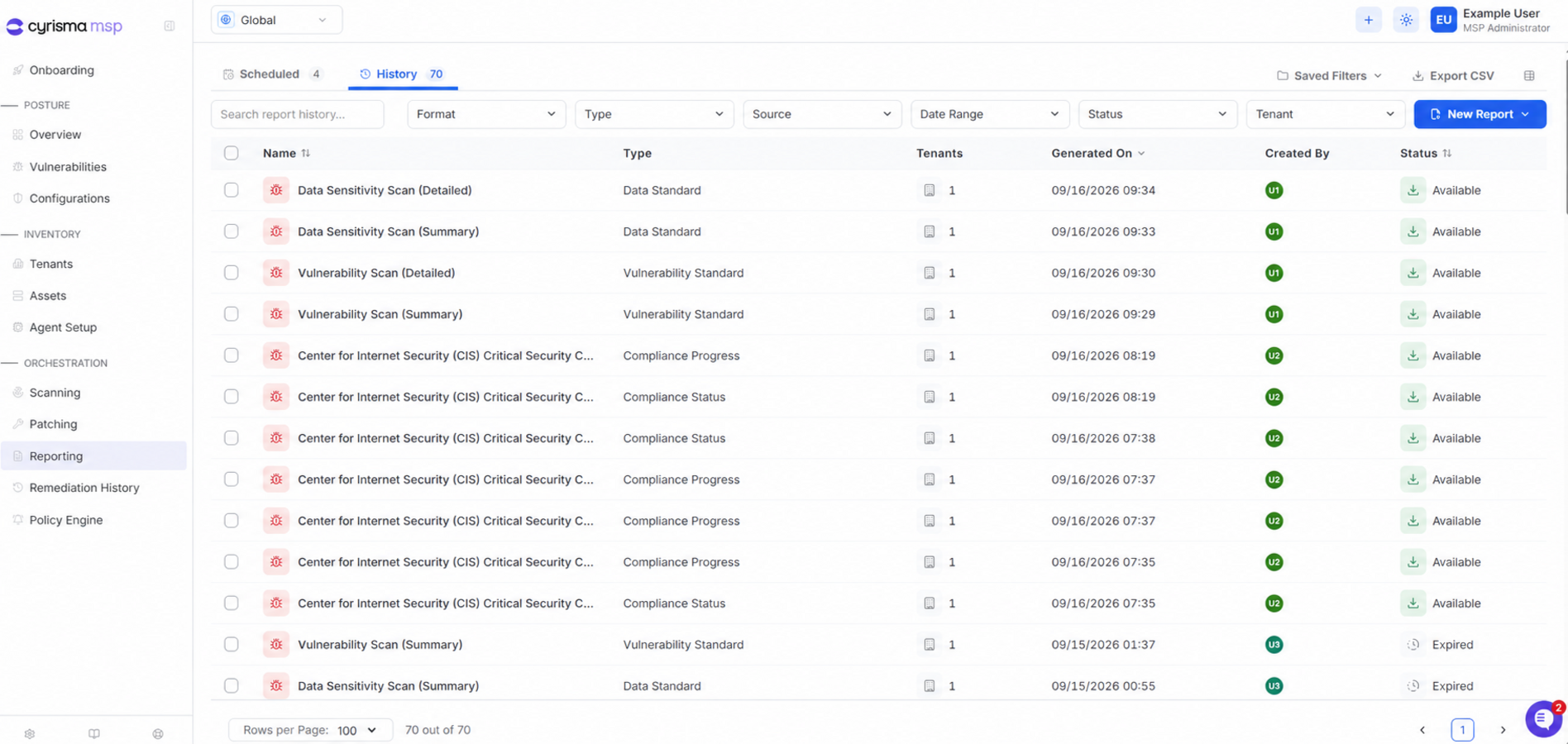
The Reporting page contains Scheduled and History tabs.
The information displayed depends on where you are logged in: the individual Tenant view or the global MSP view.
1. Individual Tenant View
Tenant View is displayed when you are logged in to an individual tenant. Reports and schedules are limited to the current tenant.
Scheduled
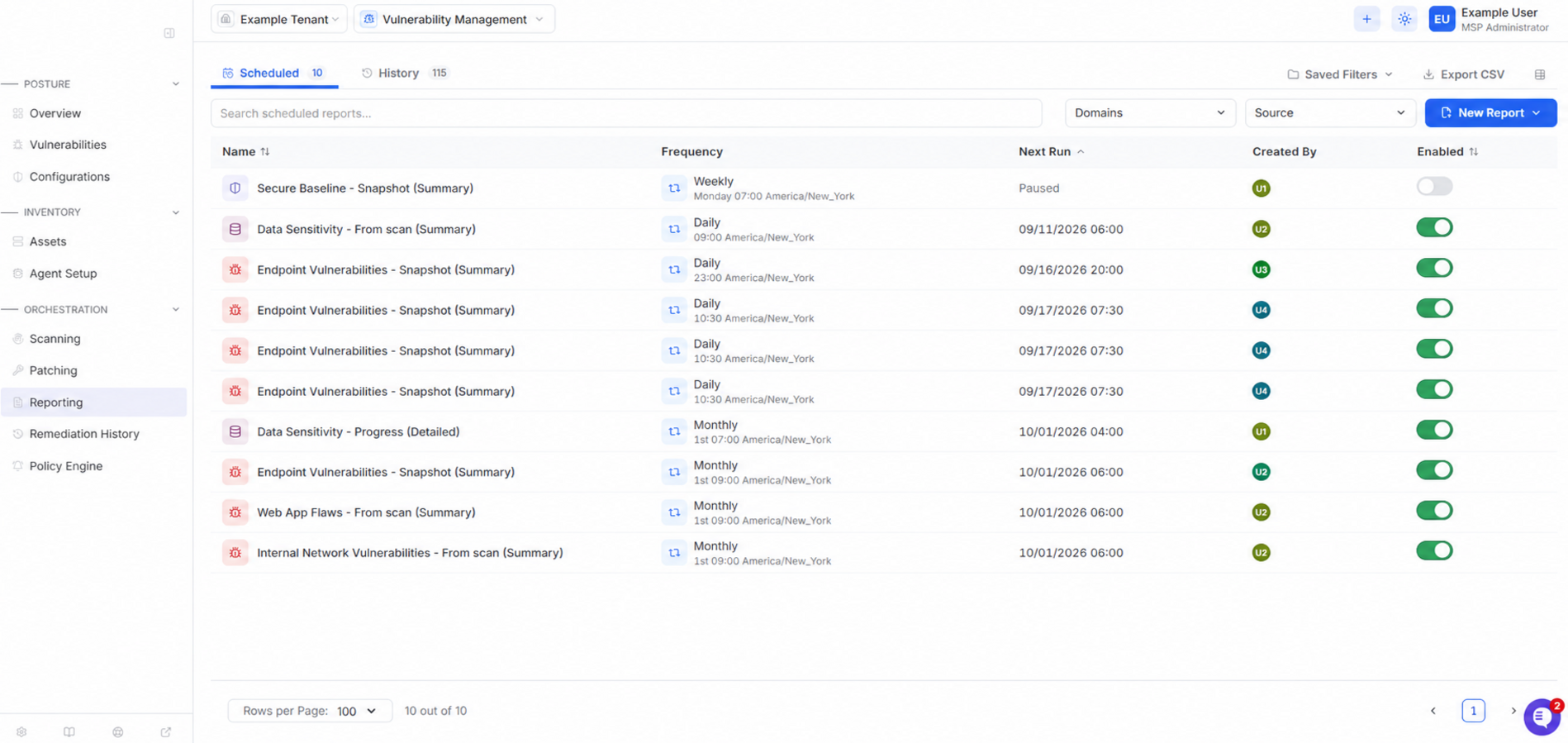
The Scheduled tab shows recurring report schedules for the current tenant.
Use the Enabled toggle to pause or resume a schedule.
History
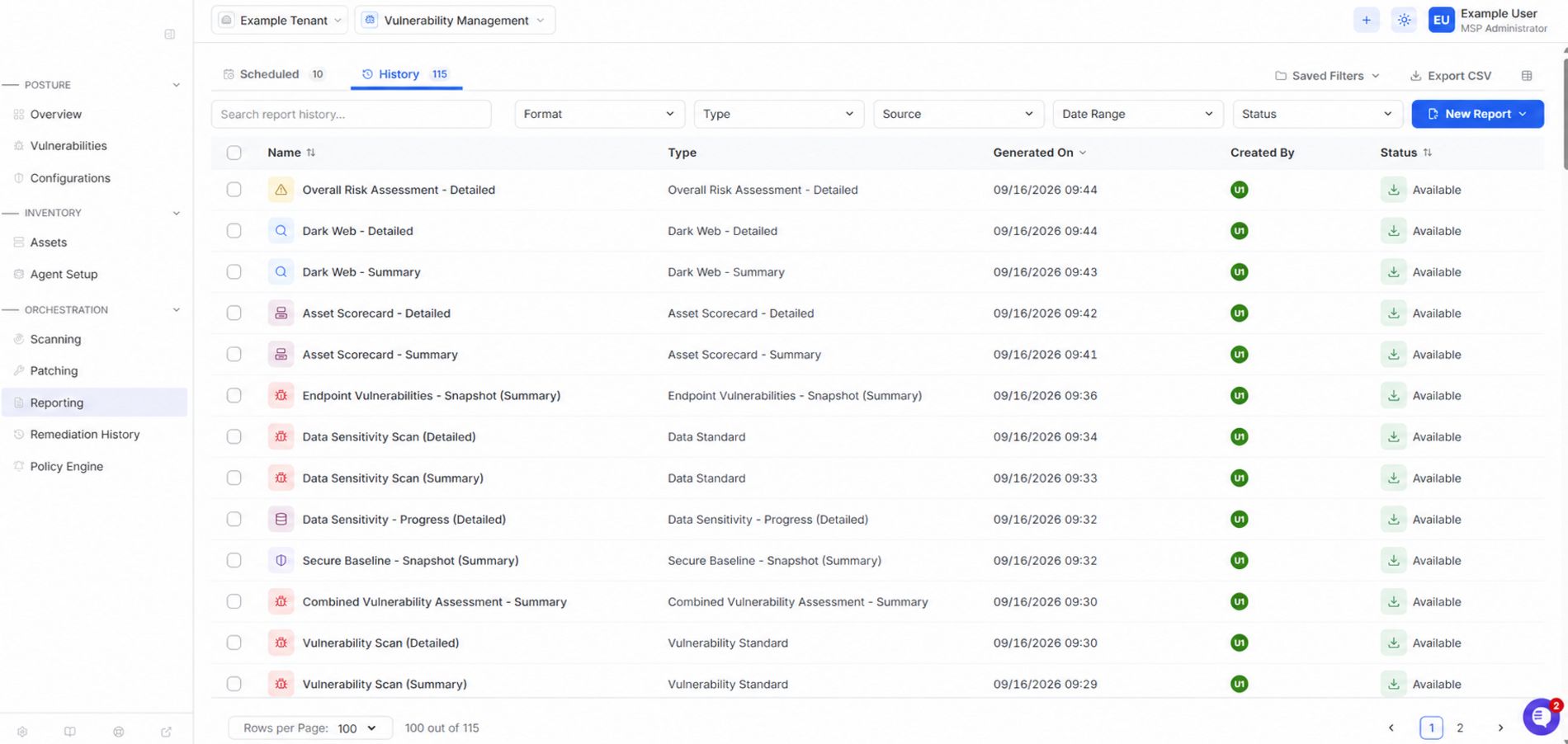
The History tab shows generated reports for the current tenant and their current status.
Select the download icon beside an available report to download it. Reports remain available for 24 hours before their status changes to Expired.
2. Global MSP View
MSP View is displayed when you are logged in to the MSP portal. It allows you to manage reports and schedules across all your managed tenants.
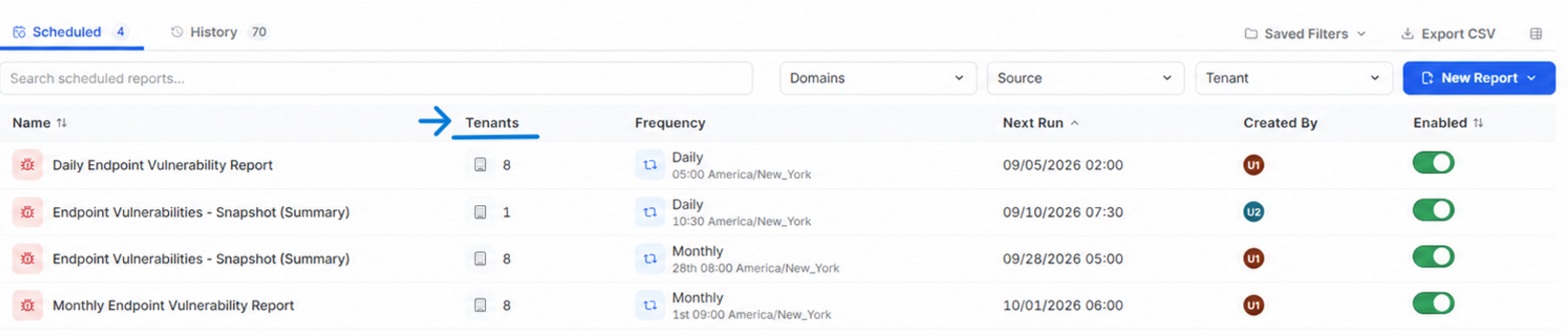
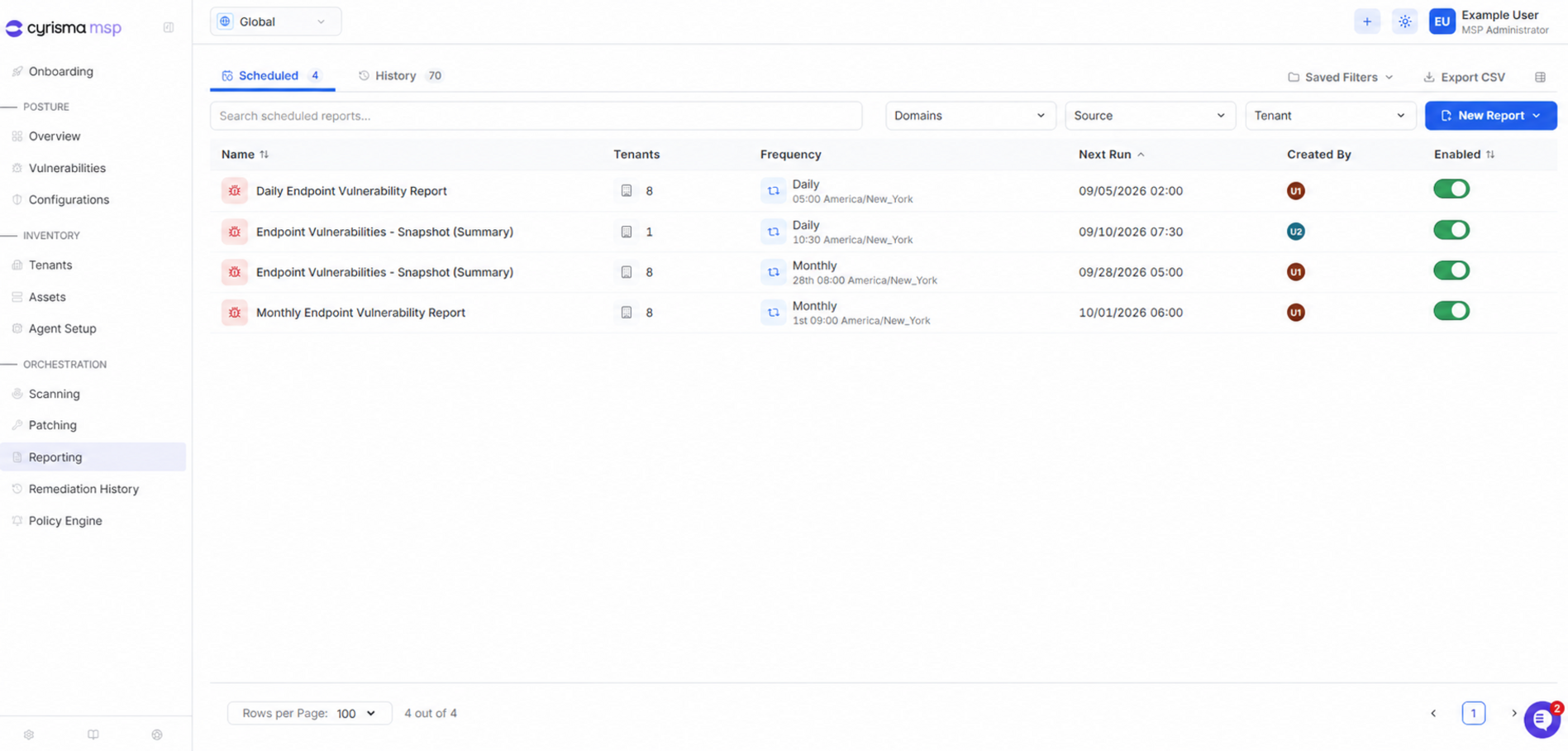
In both the Scheduled and History tabs, the Tenants column shows how many tenants are included in each schedule or report, and the Tenant filter lets you find those that include a specific tenant.
Scheduled
The Scheduled tab shows recurring report schedules created through the MSP portal.
Use the Tenant filter to find schedules that include a specific tenant.
Use the Enabled toggle to pause or resume a schedule.
History
The History tab shows reports generated through the MSP portal and their current status. Select the download icon beside an available report to download it. Reports remain available for 24 hours before their status changes to Expired.
Use the Tenant filter to find reports that include a specific tenant.
Find or Create a Report
Use the search field and filters to find a report. Available filters depend on the selected tab and view.
Select New Report to generate a report immediately or create a report schedule.
Reports created from Tenant View are scoped to the current tenant.
Reports created from MSP View can include one or more managed tenants.