Agent Setup
Last updated: September 9, 2026
Use Agent Setup to download or deploy an agent to a tenant.
Select the Tenant and Platform
At the MSP level:
Open Agent Setup.
Select the tenant where the agent will be deployed.
Select the operating system and architecture of the endpoint.
At the tenant level, Agent Setup is already scoped to the current tenant.
The Tenant URL, Installation Key, installer, and deployment scripts are generated for the selected tenant.
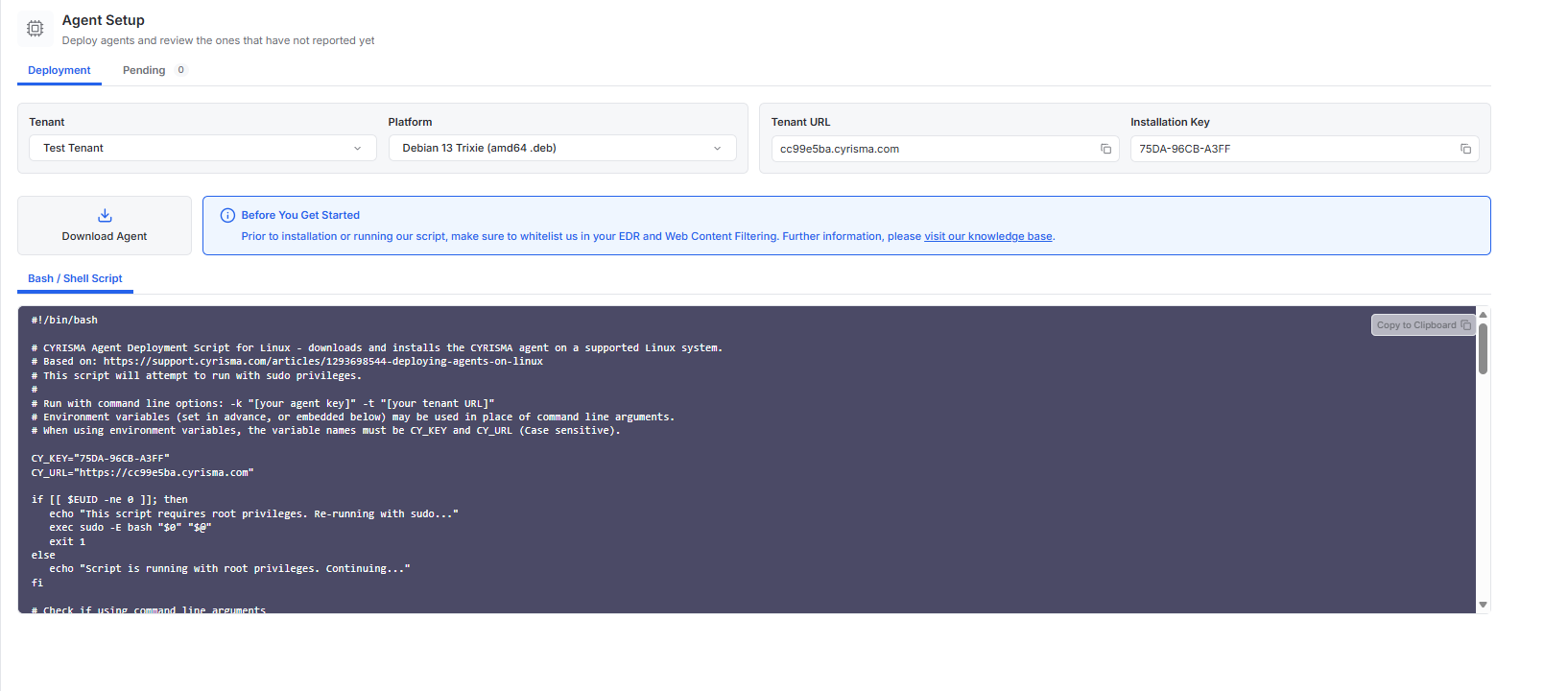
Download the Agent
Select Download Agent to download the installer for the selected platform.
For Windows GUI installation, copy the Tenant URL and Installation Key. You will enter these values during setup.
Use a Deployment Script
For supported platforms, copy the deployment script from Agent Setup.
The generated script already includes the Tenant URL and Installation Key for the selected tenant.
Available script options include:
PowerShell – Use the generated PowerShell command to deploy the agent on Windows.
Non PowerShell – Use the generated Windows command when PowerShell is not being used.
Bash / Shell Script – Use the generated script to deploy the agent on supported Linux systems.