Managing Vulnerability Suppressions
Last updated: September 9, 2026
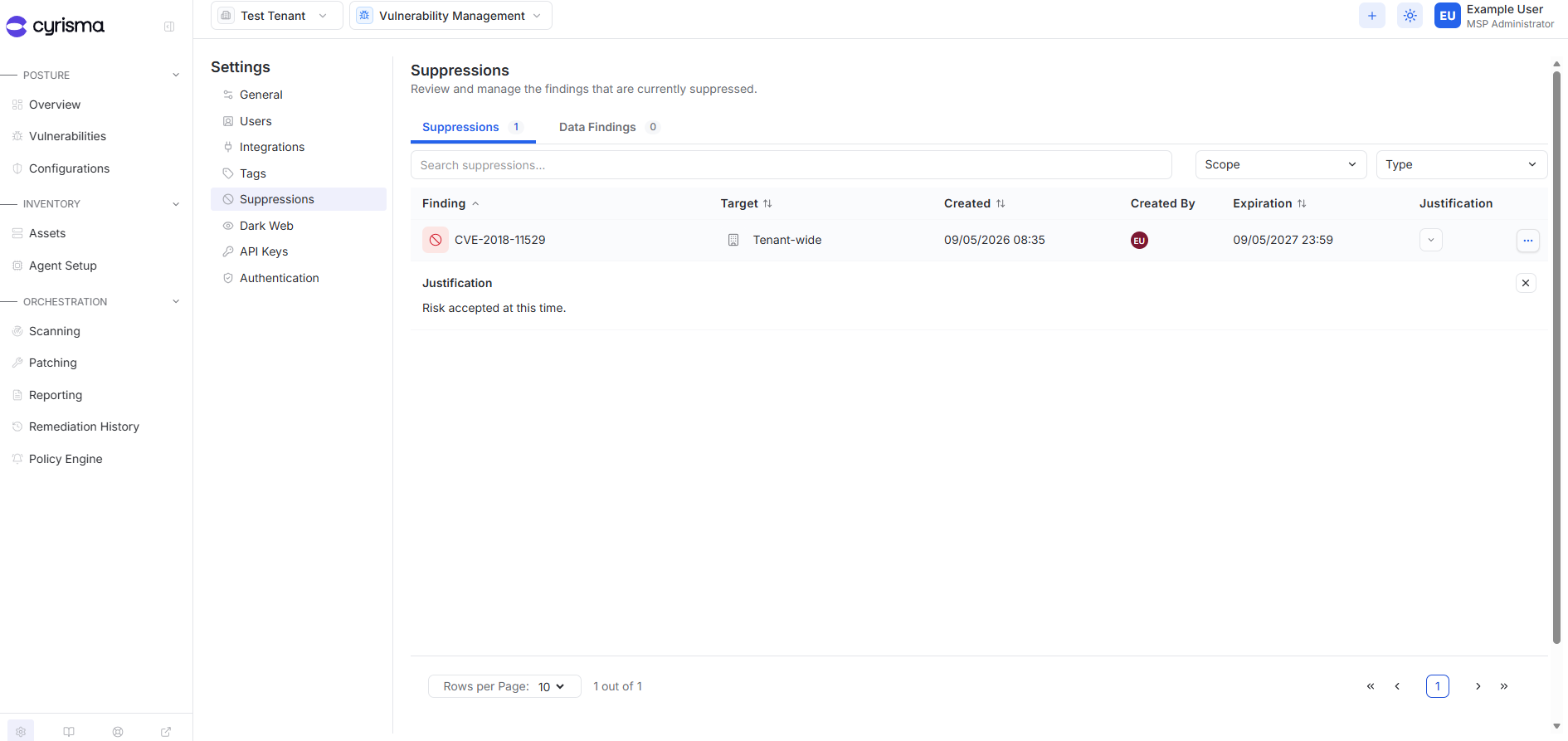
Use Suppressions in Settings to review and manage vulnerability findings that have been suppressed.
Review Suppressions
Open Settings.
Select Suppressions.
Use the Suppressions tab to review active vulnerability suppressions.
The page shows whether a suppression is tenant-wide or asset-specific, when it expires, who created it, and the justification.
Extend a Suppression
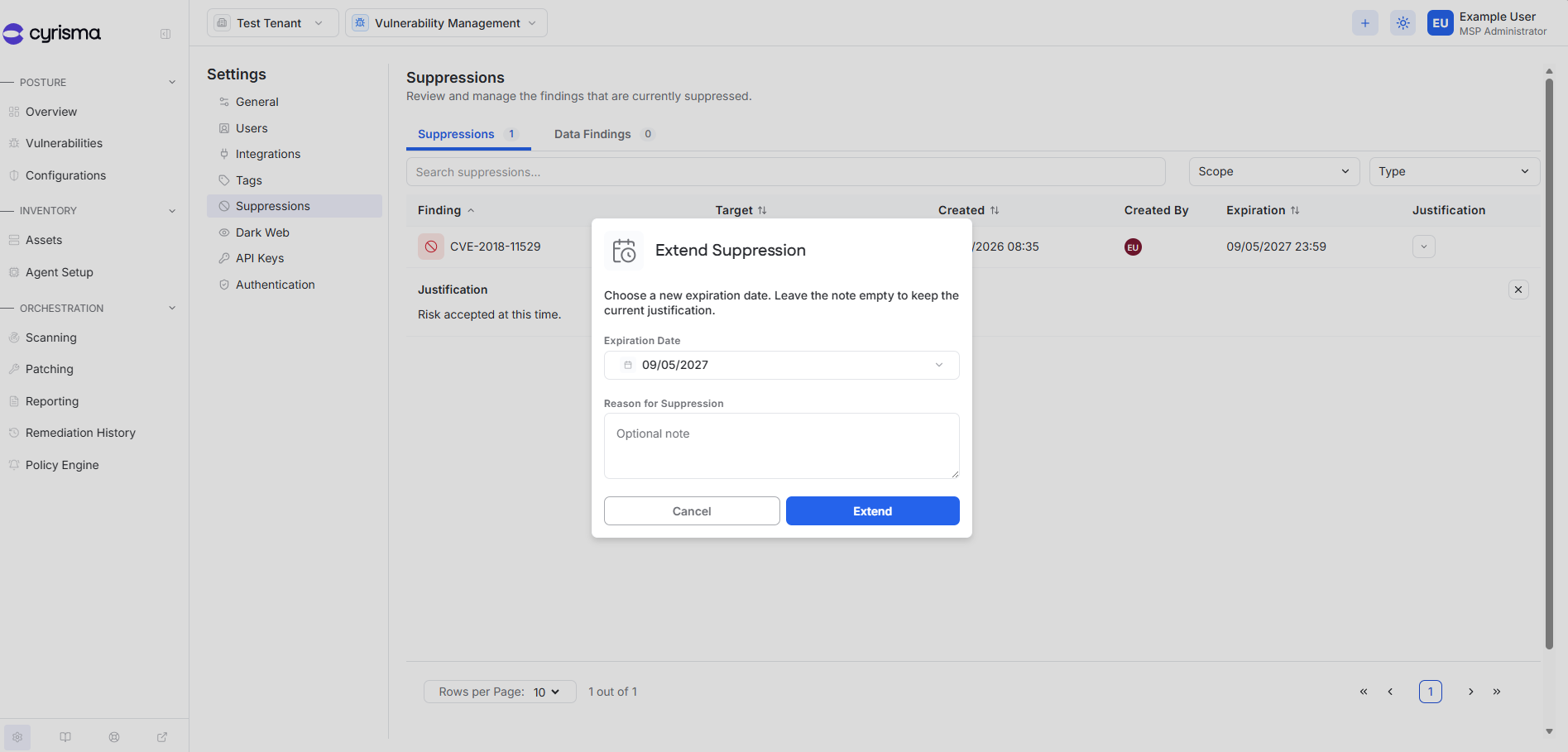
Open the actions menu for the suppression.
Select Extend Suppression Date.
Select a new expiration date.
Optionally enter a new reason.
Select Extend.
If the reason is left blank, the existing justification is kept.
Remove a Suppression
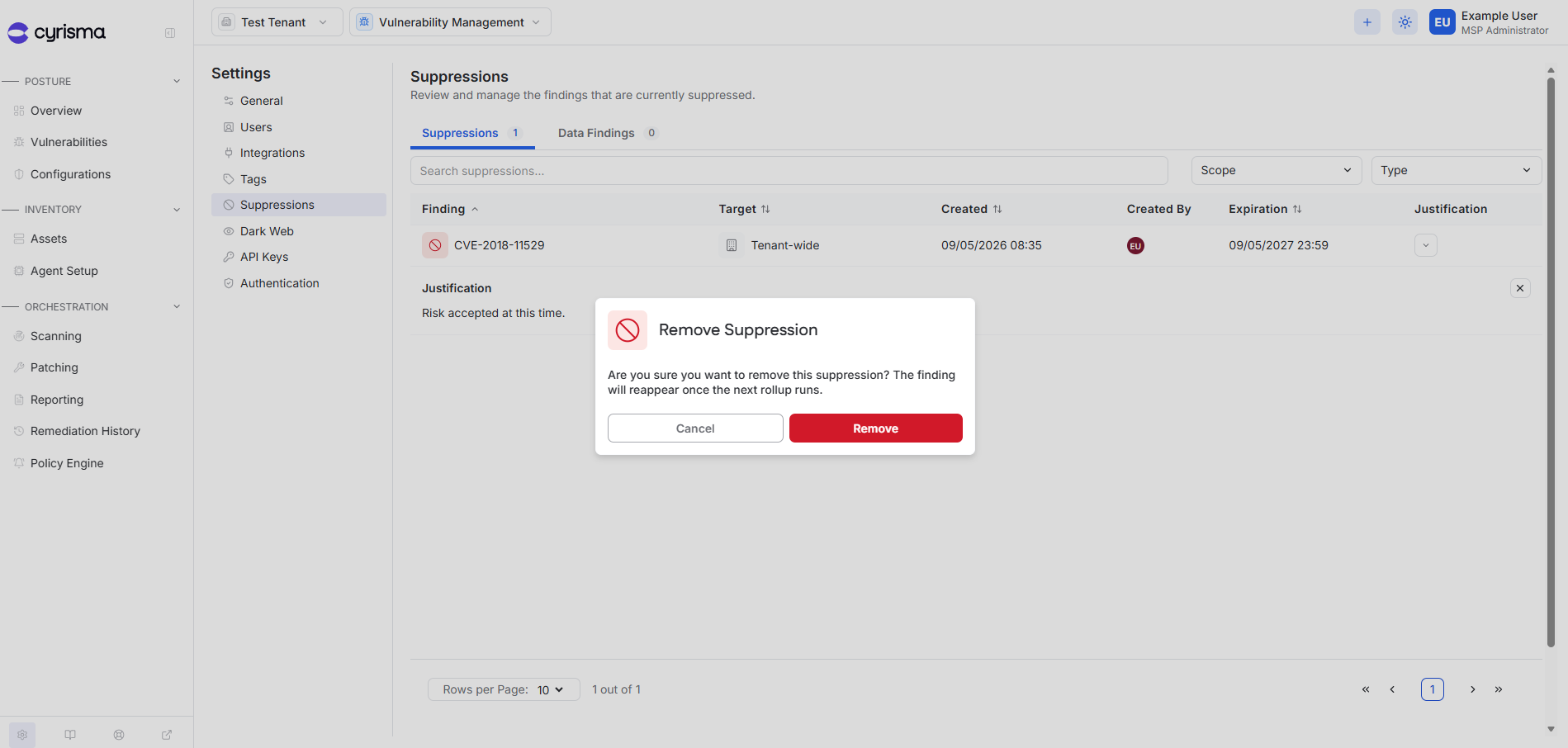
Open the actions menu for the suppression.
Select Remove Suppression.
Confirm the action.
Removing the suppression returns the finding to active vulnerability results if it is still detected.