Reviewing Vulnerabilities
Last updated: September 9, 2026
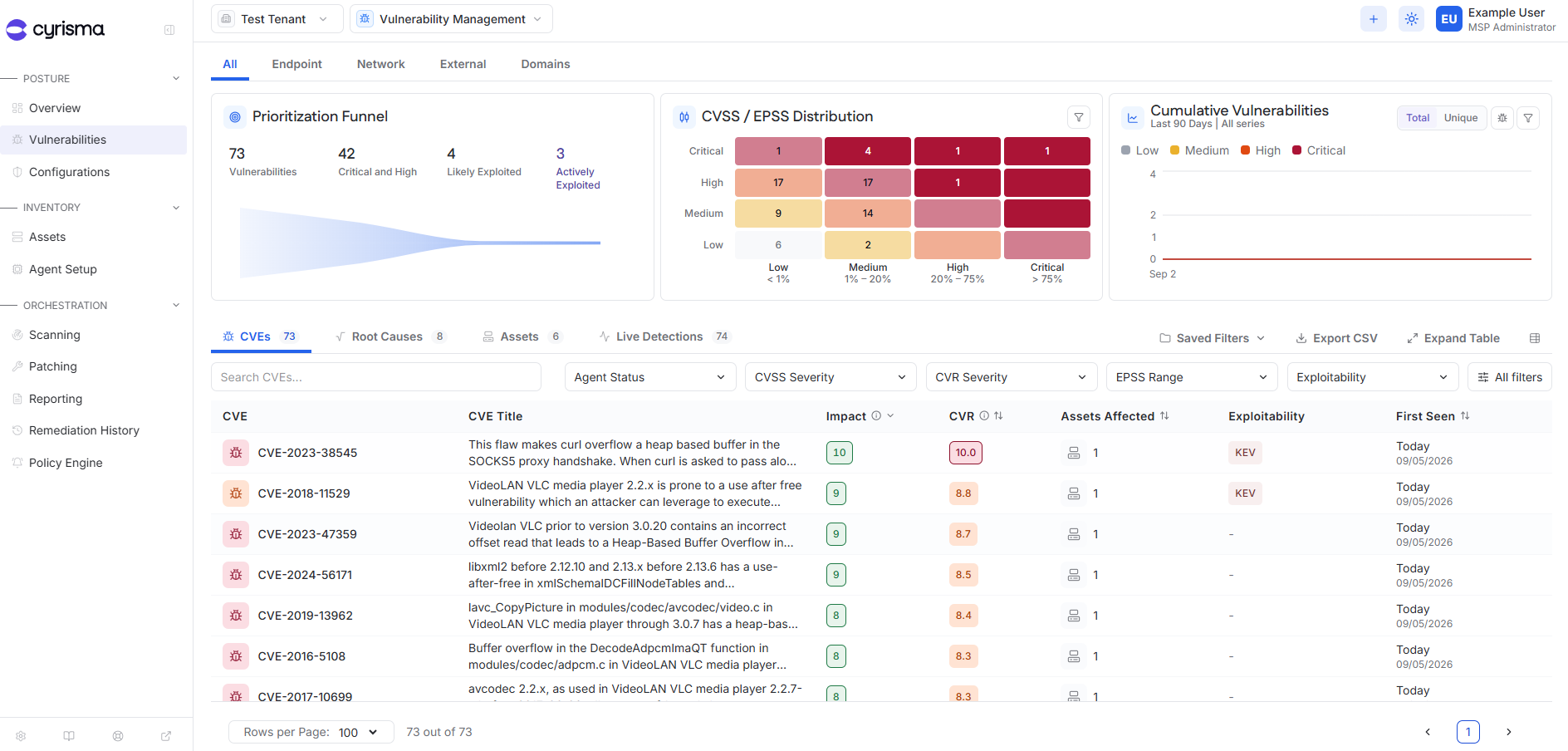
Use the Vulnerabilities page to review vulnerabilities identified through endpoint agents and vulnerability scans.
At the MSP level, findings can be reviewed across tenants within your access scope. At the tenant level, findings are scoped to the current tenant.
Vulnerability Sources
Use the tabs at the top of the page to review findings by source:
Endpoint – CVEs and root causes detected from data collected by installed agents.
Network – Vulnerabilities identified through network vulnerability scans.
External – Vulnerabilities identified through external IP scans.
Domains – Vulnerabilities identified through web application scans.
Review CVEs
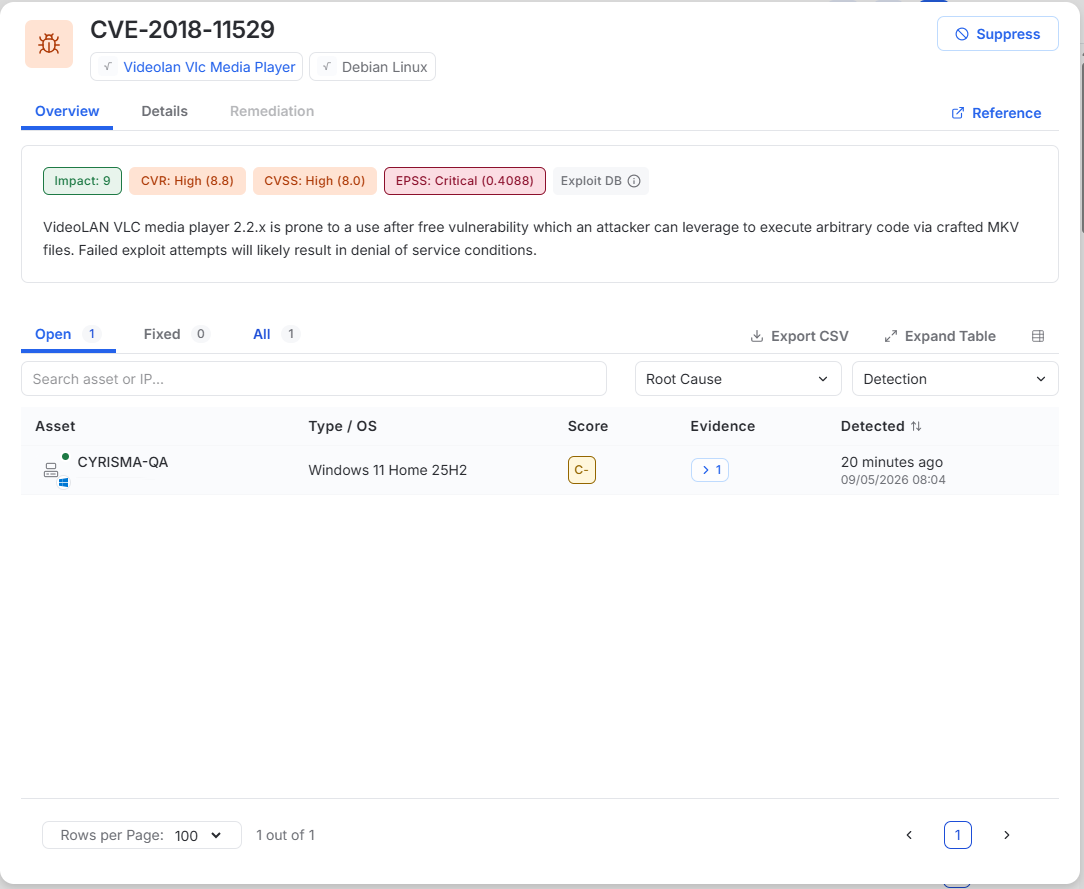
Select a CVE to open its drawer and review the affected assets.
Use Evidence on an asset row to view the information used to identify the vulnerability, including the detected root cause, installed version, fixed version, and detection source.
Review Root Causes
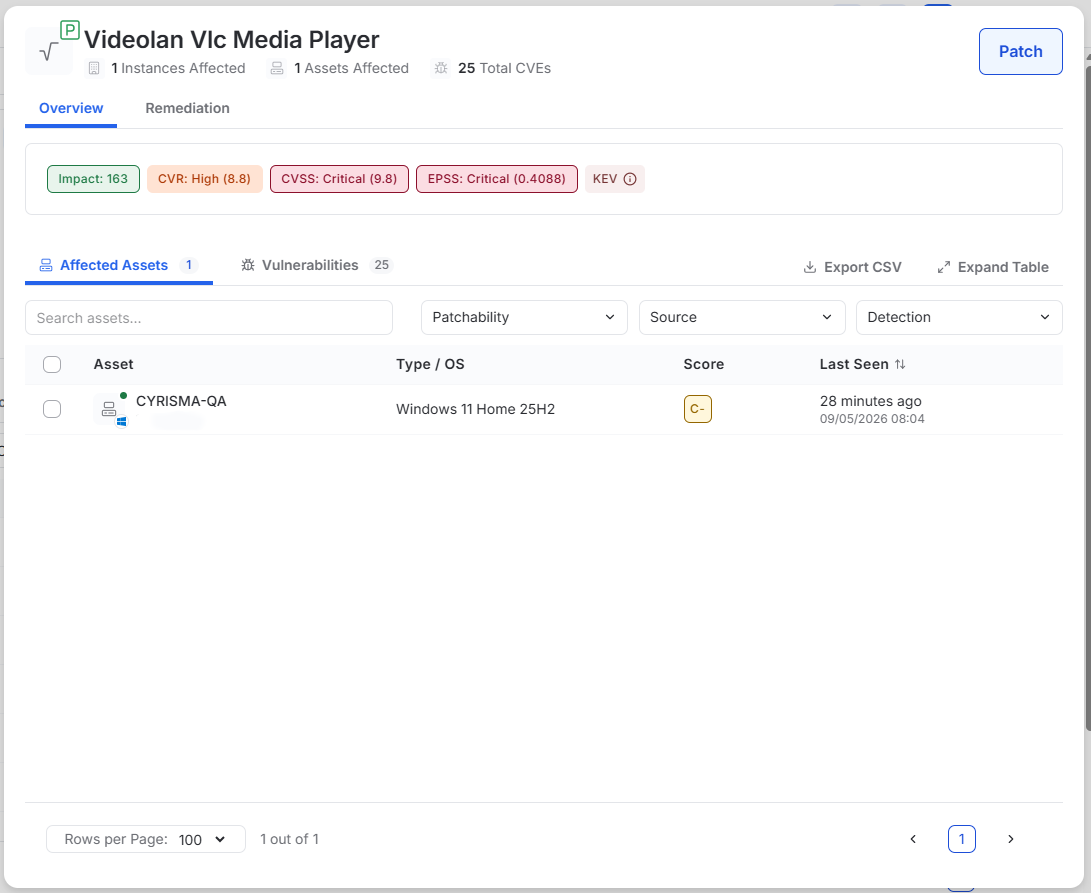
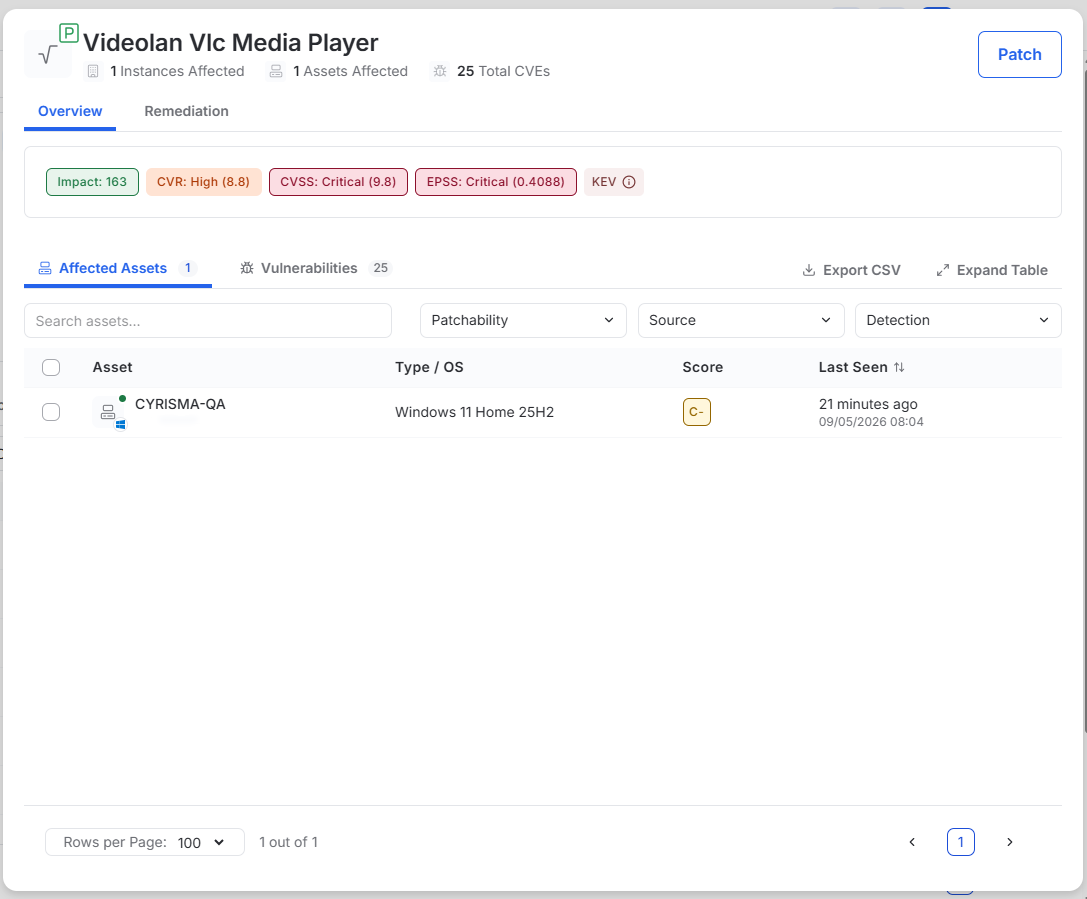
Use the Root Causes tab to review the software or condition responsible for detected vulnerabilities.
Select a root cause to open its drawer and review affected assets and associated vulnerabilities.
Suppress a Vulnerability
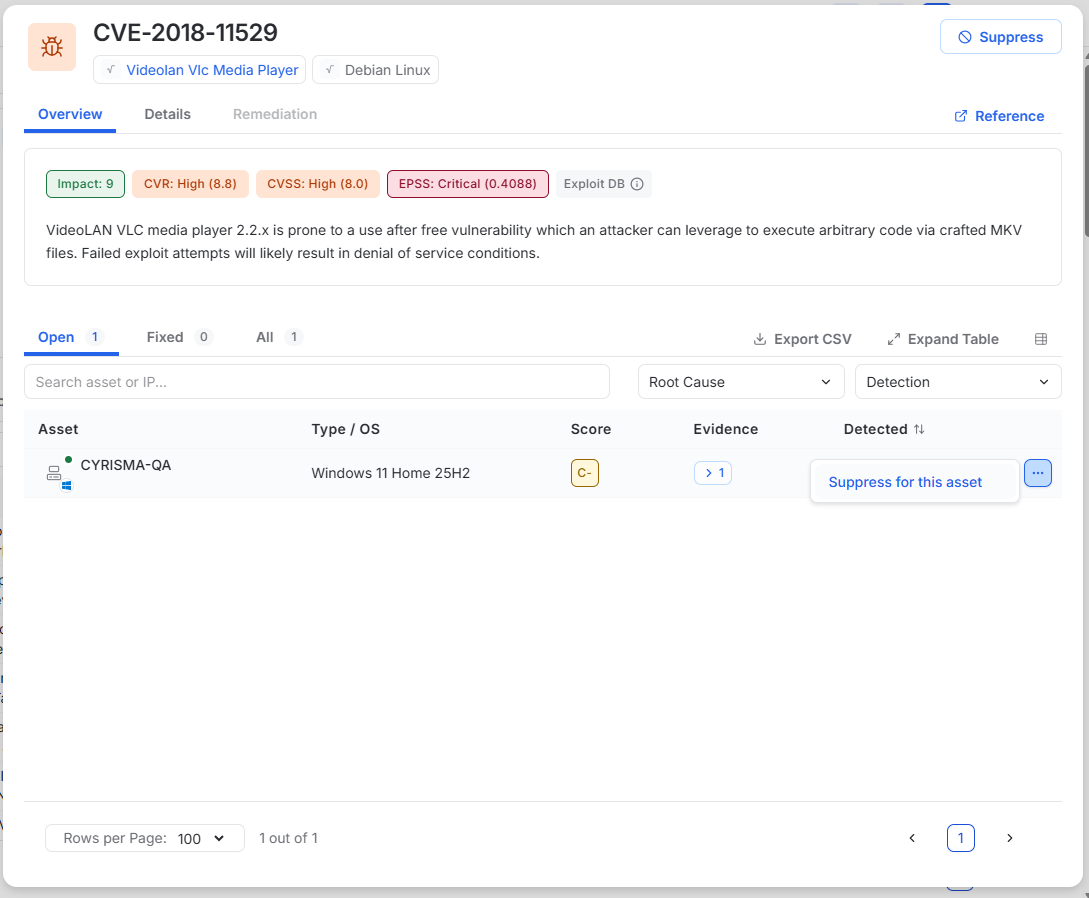
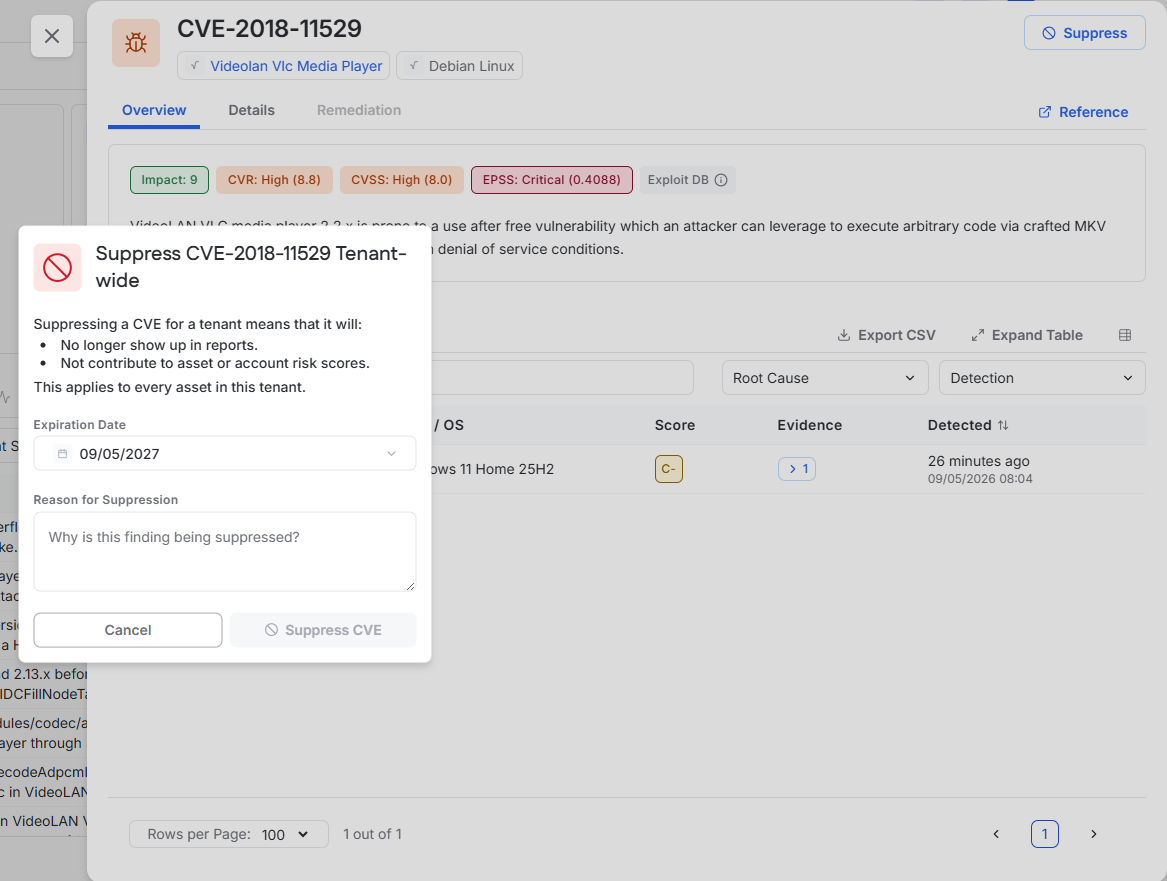
A vulnerability can be suppressed for an individual asset or for the entire tenant.
To suppress the vulnerability on one asset:
Open the CVE drawer.
Locate the asset.
Open the asset actions menu.
Select Suppress for this asset.
To suppress the CVE for the tenant:
Open the CVE drawer.
Select Suppress in the upper-right corner.
Select an expiration date and enter a reason.
Confirm the suppression.
Patch a Root Cause
If a root cause is patchable, select Patch from the root cause drawer to begin remediation.