Uninstalling the Cyrisma Agent on macOS
Last updated: October 23, 2026
To remove the Cyrisma Agent from a Mac, run the macOS installer again and select Uninstall.
Legacy Mac Agents (version 1.2.x.x): To remove a legacy agent, follow the steps in Mac Agent Upgrade – Troubleshooting Guide, under Uninstalling the Legacy Agent.
Before You Begin
Make sure you have administrator privileges on the device.
If the macOS installer is no longer on the device, download it from Agent Setup (see below).
Download the Installer
If the installer is already on the device, skip to Uninstall the Agent.
Sign in to your Cyrisma tenant.
Go to Agent Setup.
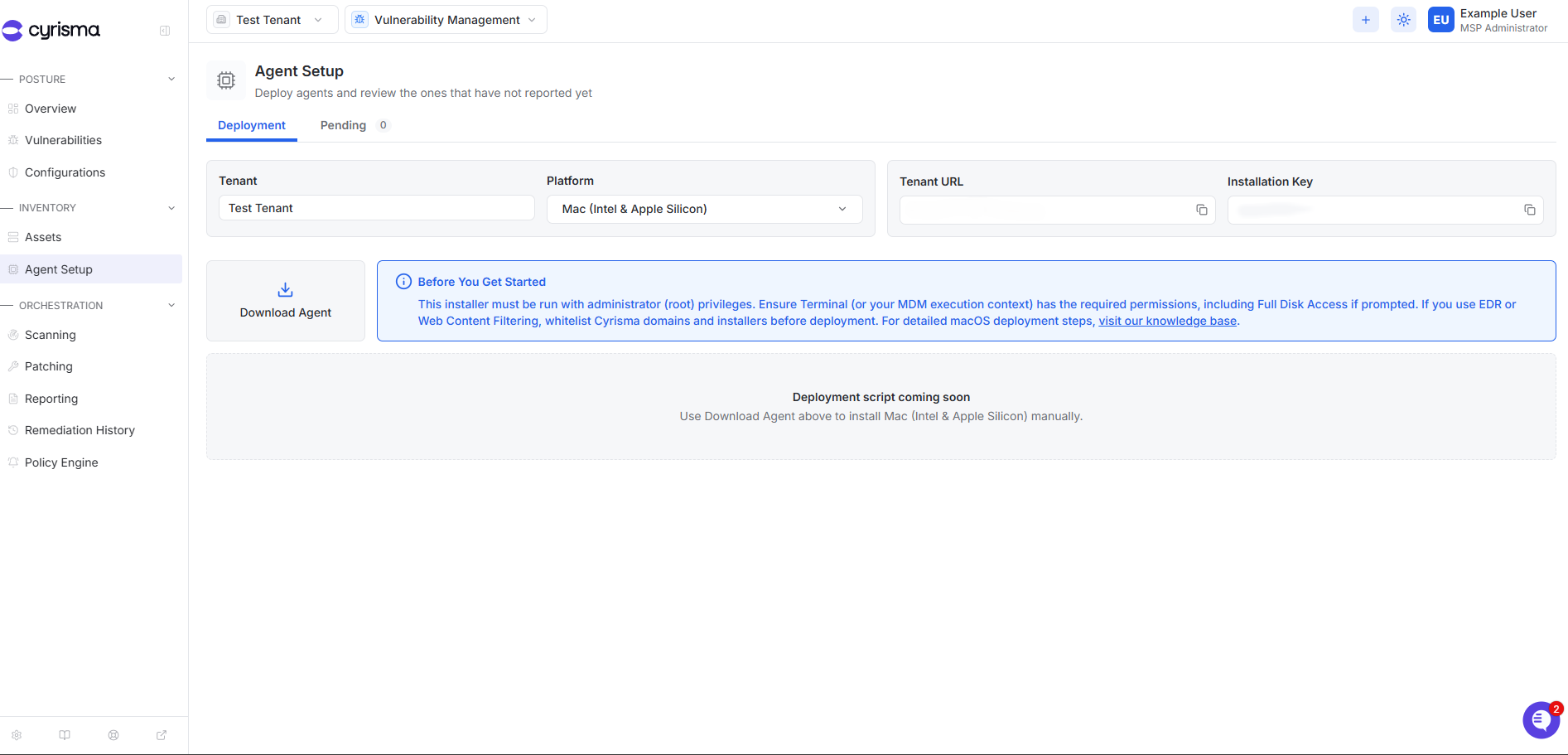
Under Platform, select Mac (Intel & Apple Silicon).
Select Download Agent.
Uninstall the Agent
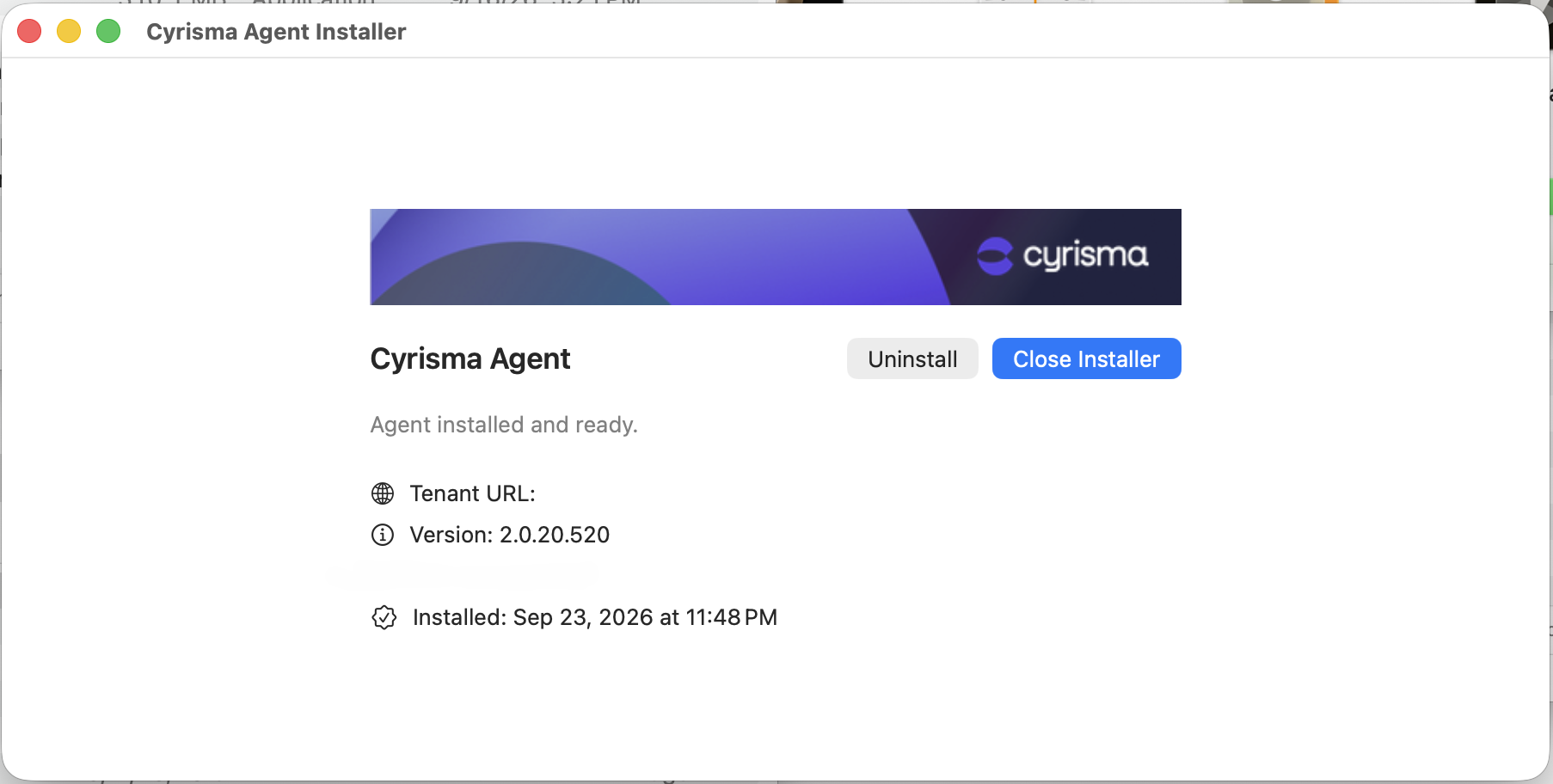
Open the downloaded Cyrisma Agent installer.
Run the installer with administrator privileges.
The installer detects the existing agent and shows its installation details.
Select Uninstall.
If prompted, approve the uninstall or enter administrator credentials.
Wait for the uninstall to finish.
Once the agent is removed, the device stops checking in and stops sending updated information to Cyrisma.