Reviewing Secure Baseline Configurations
Last updated: September 9, 2026
Use Configurations to review Secure Baseline results collected from endpoints with installed agents.
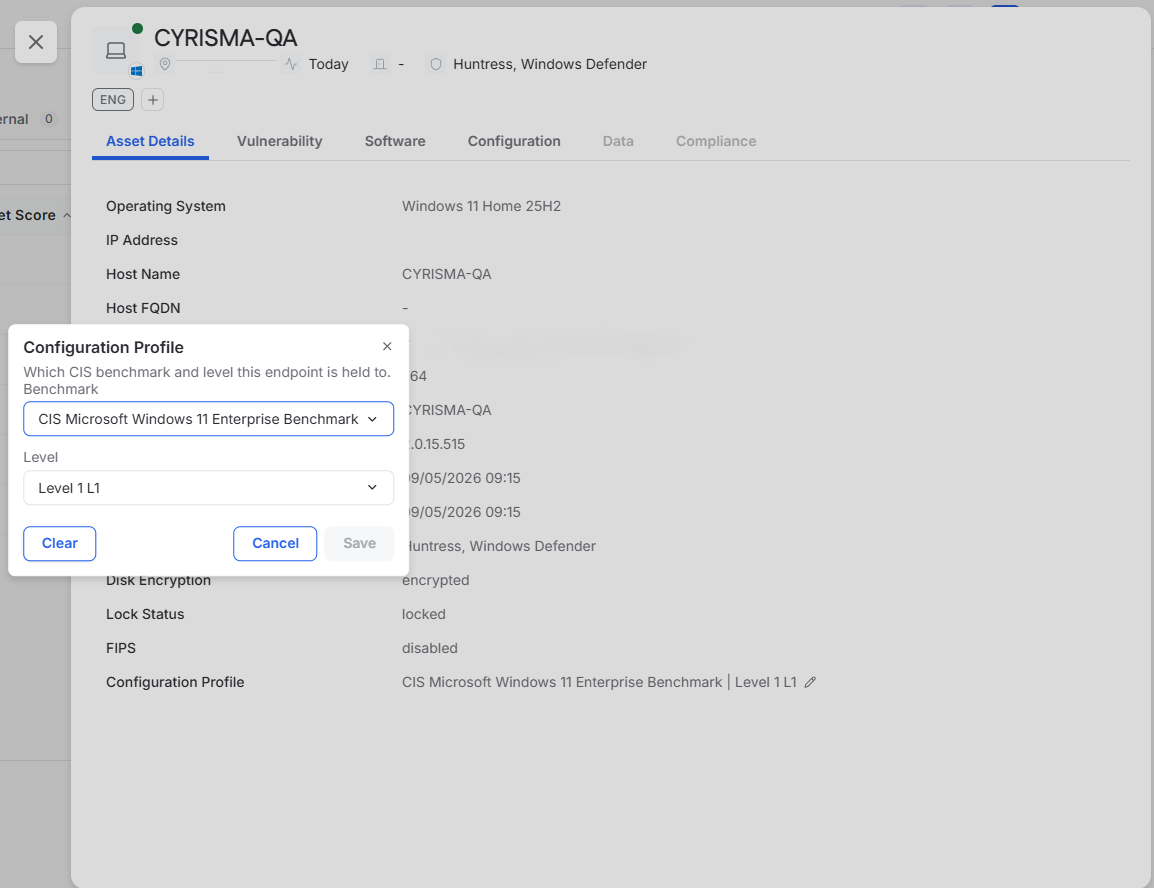
A configuration profile is assigned automatically when the agent is installed. The profile determines the benchmark and level used to evaluate the endpoint.
Review Configuration Results
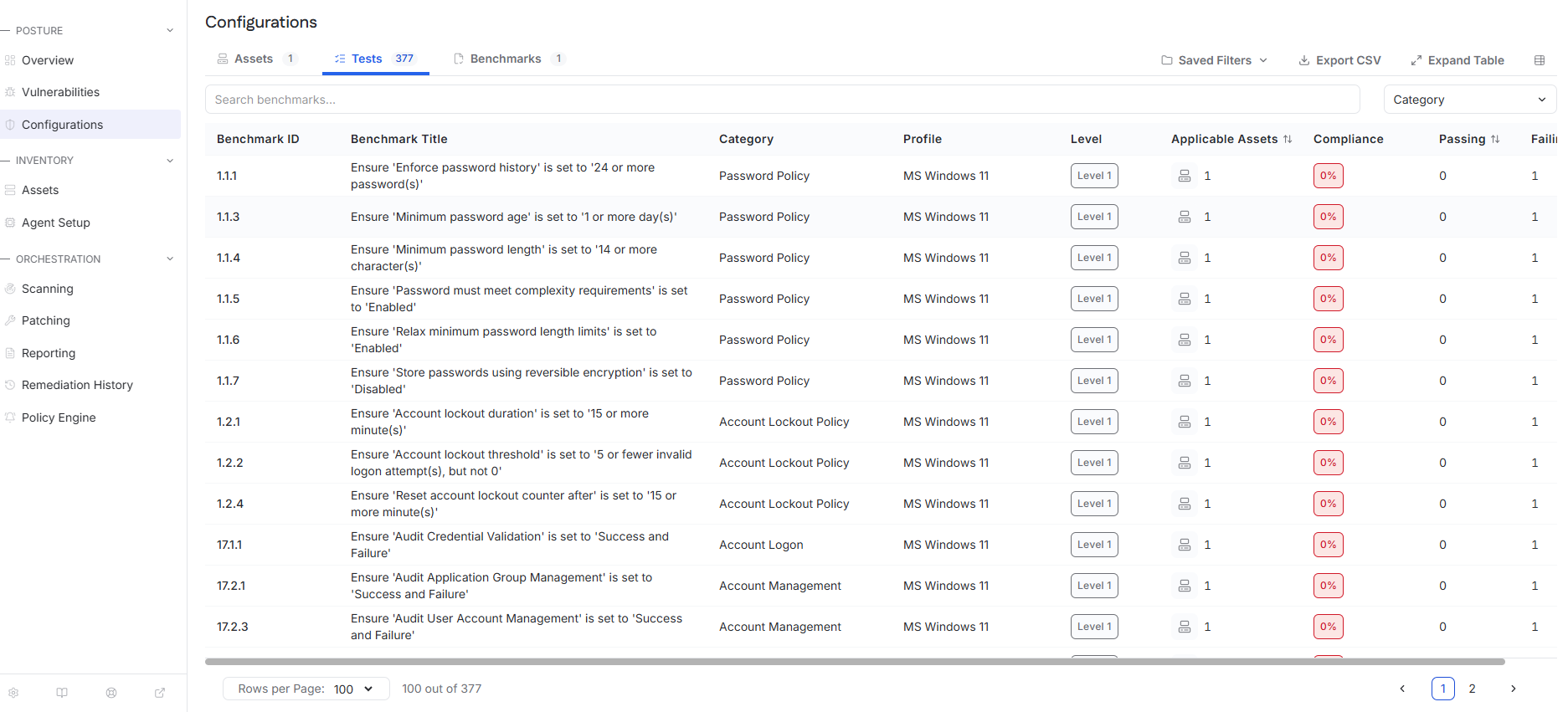
Use the tabs on the Configurations page to review results in different ways:
Assets – Review endpoint compliance against the assigned configuration profile.
Tests – Review individual benchmark checks and their pass or fail results.
Benchmarks – Review overall compliance for each benchmark and the assets evaluated against it.
Review a Configuration Test
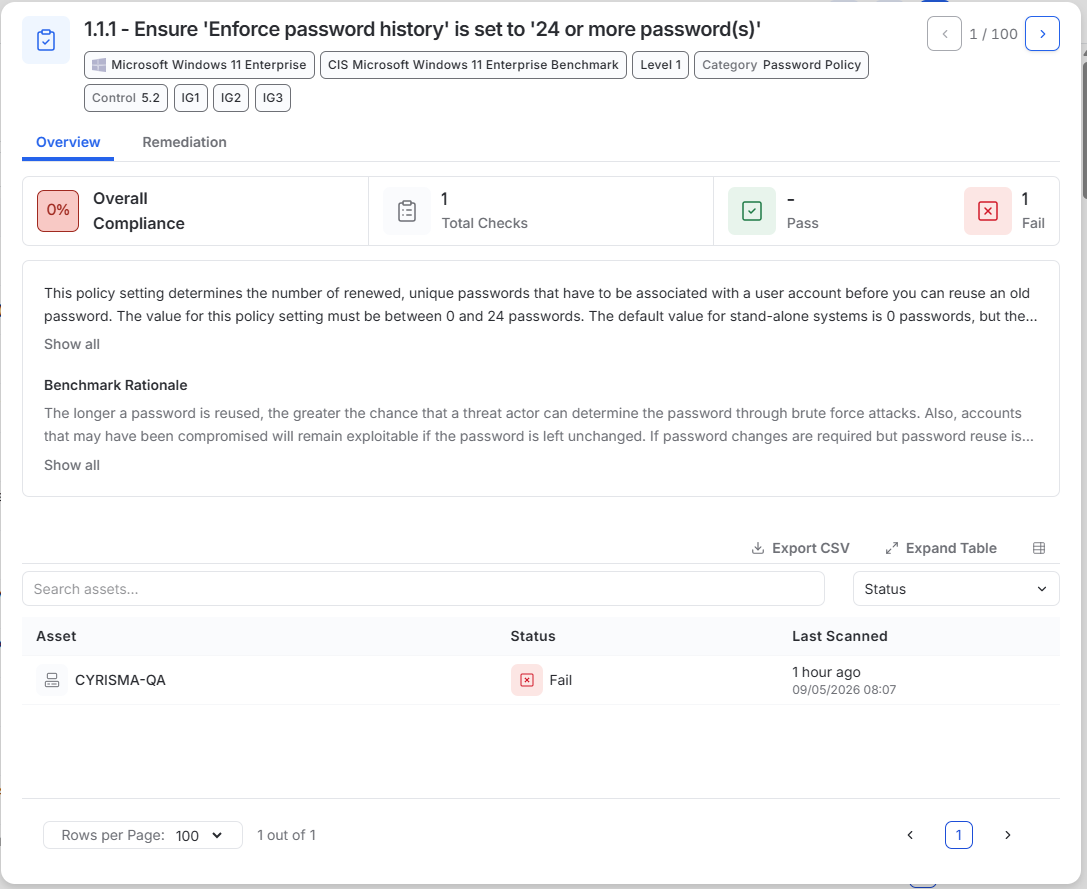
From the Tests tab, select a test to review its details.
The test drawer shows the benchmark requirement, compliance results, affected assets, and available remediation guidance.
Change an Endpoint Configuration Profile
To change the benchmark or level assigned to an endpoint:
Open Assets.
Select the endpoint.
In Asset Details, select the edit icon beside Configuration Profile.
Select the benchmark and level.
Save the changes.