Command Center
Last updated: March 11, 2026
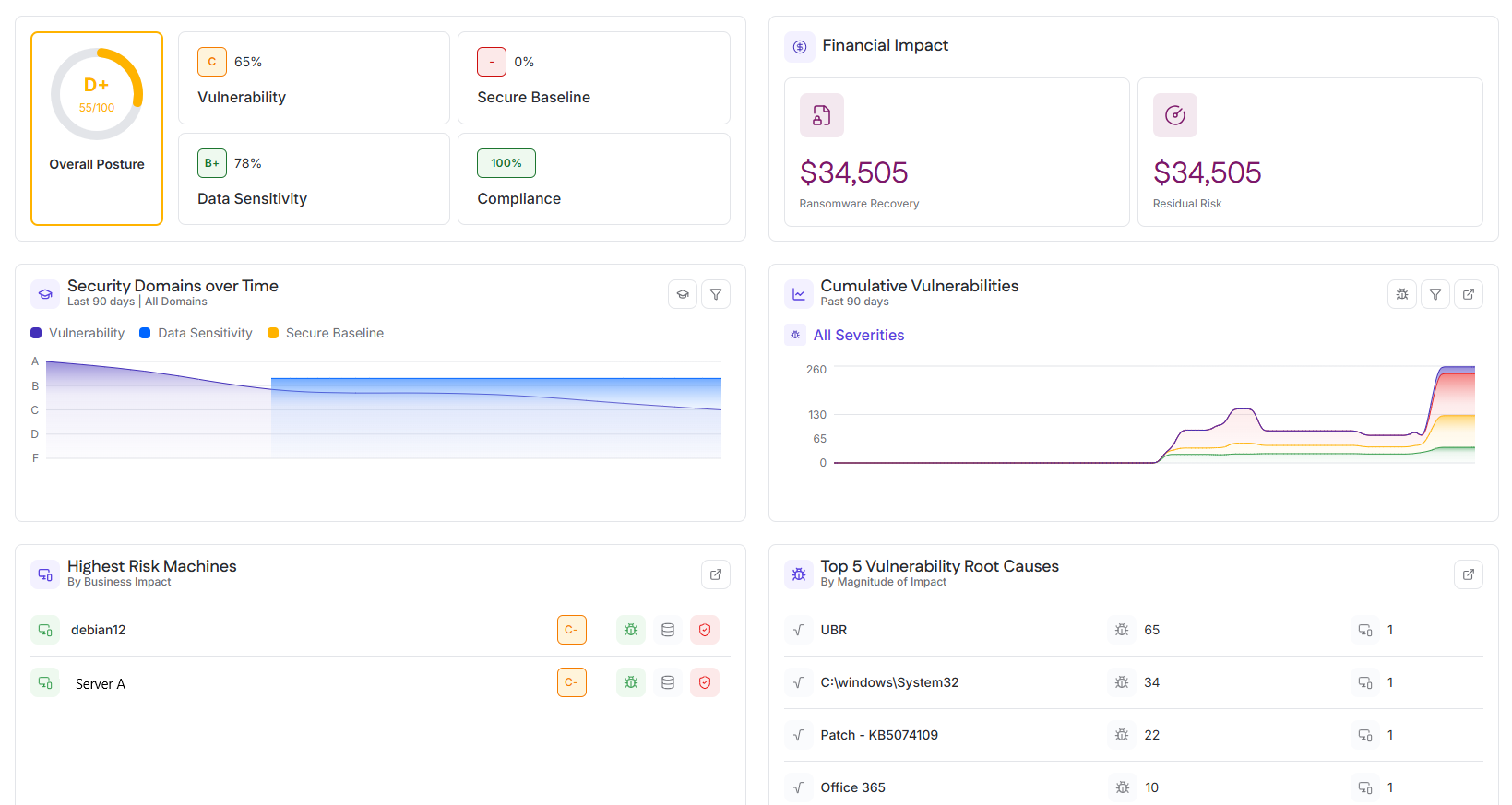
The Command Center is the primary landing dashboard in Cyrisma. It provides a centralized, high-level view of security posture, risk trends, and business impact across the environment. The Command Center is designed to support rapid situational awareness and prioritization rather than detailed investigation.
All data presented reflects aggregated results from underlying security modules and is intended to guide users toward deeper analysis within those modules.
Overall Posture and Domain Scores
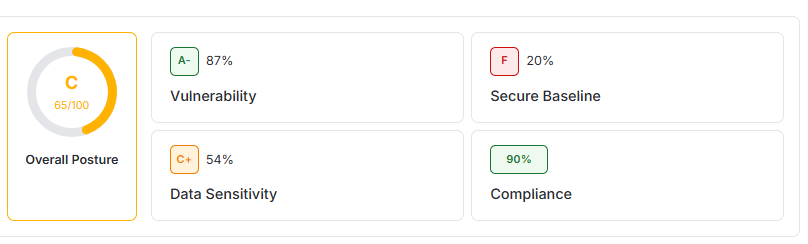
The Overall Posture section provides a summary of the organization’s security posture across key security domains.
Overall Posture
The Overall Posture score represents the combined security grade for the instance over the last 90 days. It is displayed as a letter grade with a numeric score and reflects the weighted contribution of all supported security domains.
This score is intended as a high-level indicator of security health rather than a diagnostic metric.
Domain Scores
Individual domain scores are displayed alongside the overall posture and are calculated using data from the last 90 days.
Included domains:
Vulnerability – Grade based on identified vulnerabilities, severity distribution, and remediation status
Secure Baseline – Grade reflecting configuration compliance and baseline adherence
Data Sensitivity – Grade derived from data discovery and classification findings
Compliance – Grade indicating alignment with supported compliance standards
Usage
This section is used to:
Quickly assess overall security posture
Identify domains requiring further investigation
Track posture changes at a high level before drilling into detailed modules
Financial Impact
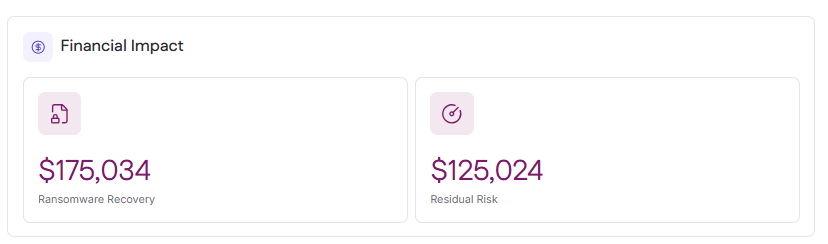
The Financial Impact section translates technical security posture into estimated business risk, expressed as potential financial exposure.
It includes two summary cards:
Total Ransomware Recovery Cost
Total Residual Risk
Selecting either card opens the Financial Impact drawer.
Ransomware Recovery
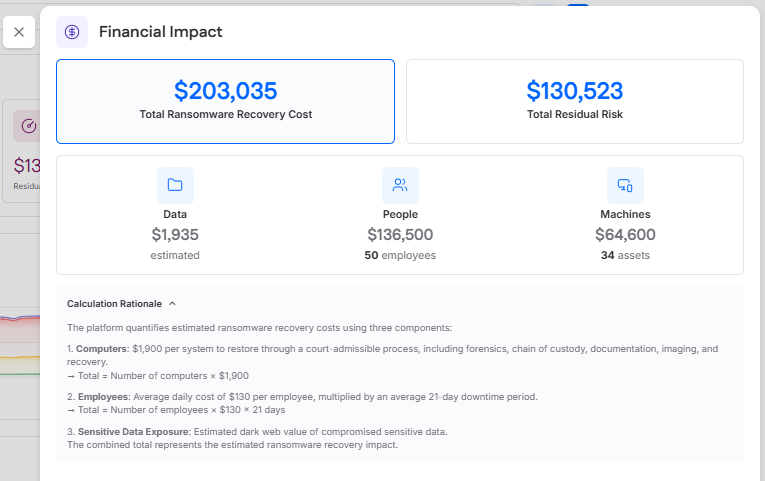
Ransomware Recovery represents the estimated potential cost of a ransomware incident affecting the environment.
This estimate is modeled using three components:
Data, based on the estimated value of compromised sensitive data
People, based on employee downtime and productivity loss
Machines, based on system and endpoint recovery costs
The value shown is intended to support awareness and planning.
When the Total Ransomware Recovery Cost card is selected, the Financial Impact drawer opens and displays:
The total ransomware recovery cost
The estimated contribution from Data, People, and Machines
A Calculation Rationale section explaining how each component contributes to the total recovery estimate
Residual Risk
Residual Risk represents the remaining financial risk after accounting for existing security controls and practices.
Selecting the Total Residual Risk card opens the residual risk view in the Financial Impact drawer.
The drawer includes two categories of factors:
System Use Factors
These factors are based on use of Cyrisma platform features and are not manually controlled by the user. Cyrisma automatically updates these items based on feature usage in the instance through Data Sensitivity Scanning, Vulnerability Management, and Secure Configurations.
Reduce your residual risk cost by addressing these factors
These factors are managed by the user. Users can toggle a factor on to indicate that the control is in place, then provide supporting details about the solution or service being used. Enabling applicable factors reduces the total residual risk value.
Residual risk is influenced by controls such as:
Password Management
Multi-Factor Authentication
Disk Encryption
Encrypted Backups
Ransomware Protection
Phishing Simulation Programs
Threat Feeds
Breach Detection
Vendor Risk Management
Third-Party Risk Assessments
Cyber Liability Insurance
Usage
This section is used to:
Communicate risk in financial terms
Support security investment prioritization
Demonstrate the business value of security controls
Security Domains Over Time
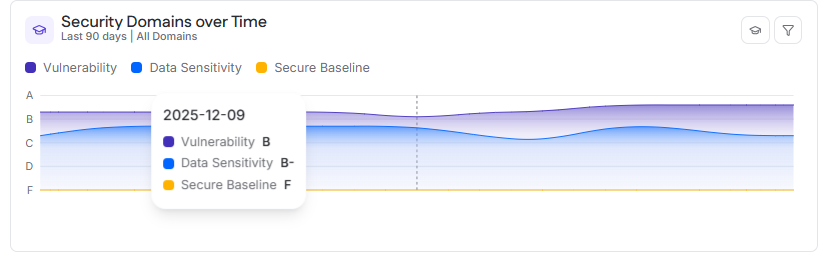
The Security Domains Over Time section shows how security posture grades change over time across key domains.
Data Displayed
By default, the chart displays grade scores for the last 90 days. Users can adjust the time range to:
30 days
60 days
90 days
Displayed domains:
Vulnerability
Data Sensitivity
Secure Baseline
Interaction
Hovering over the chart displays the selected date and the grade for each domain at that point in time.
Usage
This section is used to:
Track posture improvement or regression
Validate the impact of remediation efforts
Identify sustained trends rather than isolated events
Cumulative Vulnerabilities
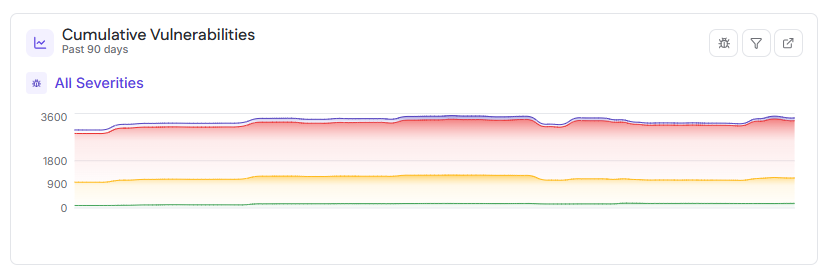
The Cumulative Vulnerabilities section displays the total number of open vulnerabilities across all targets over time.
Data Displayed
The chart shows vulnerability counts for:
Critical (purple)
High (red)
Medium (yellow)
Low (green)
A combined total is calculated from all severities.
By default, the chart displays data for the last 90 days, with options to view 30 or 60 days.
Interaction
Hovering over a point on the chart displays:
The date
Total vulnerability count
Counts by severity level
Usage
This section is used to:
Monitor overall vulnerability exposure
Validate remediation effectiveness
Identify periods of increased or reduced risk
Highest Risk Machines
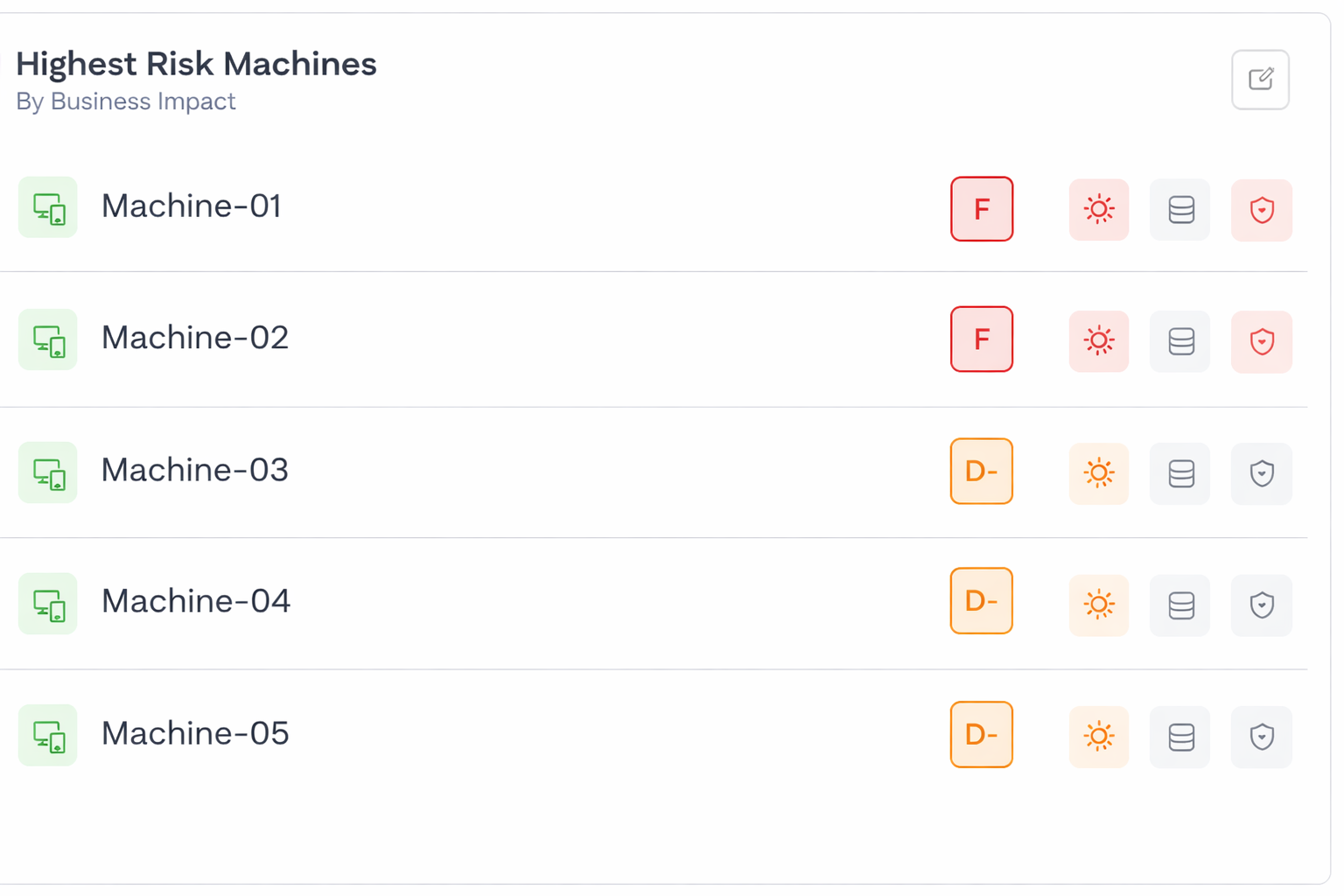
The Highest Risk Machines section highlights the assets presenting the greatest overall risk.
Ranking Criteria
Assets are ranked by overall risk grade score, which incorporates:
Vulnerability findings
Secure Baseline posture
Data Sensitivity exposure
The top five highest-risk machines are displayed.
Interaction
Selecting an asset opens the asset details view, where users can review vulnerabilities, baseline findings, and data sensitivity exposure.
Usage
This section is used to:
Prioritize remediation efforts
Focus investigation on assets with the greatest potential business impact
Top 5 Vulnerability Root Causes
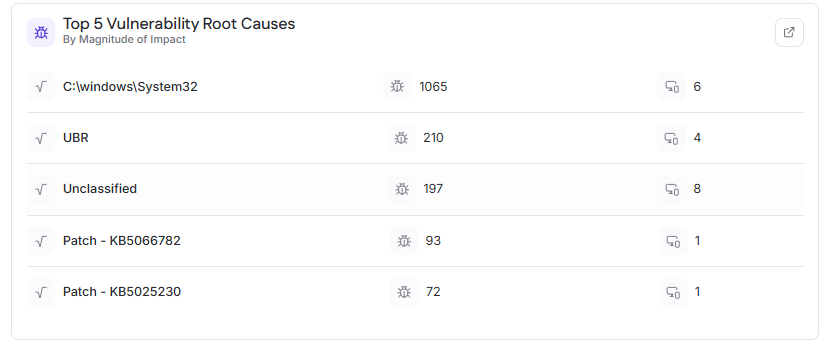
The Top 5 Vulnerability Root Causes section identifies the most impactful underlying causes of vulnerabilities across the environment.
Scope
This view is based on internal authenticated vulnerability scan results.
Ranking Criteria
Root causes are ranked by magnitude of impact, based on:
Total number of CVEs associated with the root cause
Number of affected assets across the instance
Information Displayed
For each root cause:
Root cause name
Total CVE count
Number of affected assets
Interaction
Selecting a root cause opens a detailed view showing associated CVEs and impacted assets.
Usage
This section is used to:
Identify systemic issues driving large volumes of vulnerabilities
Prioritize remediation that eliminates many findings at once