How To Generate a Cyber Risk Assessment Report
Last updated: December 23, 2025
Video Guide
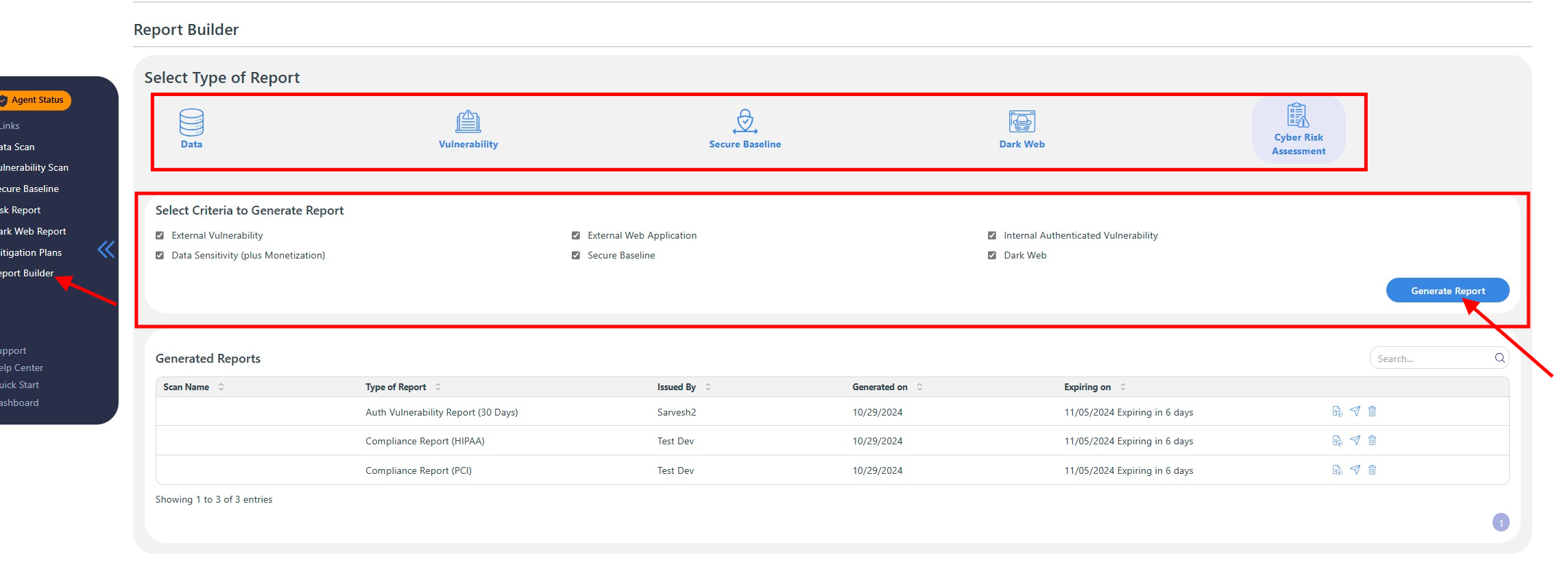
Access the Report Builder
Navigate to the Report Builder located on the left-hand side of the dashboard.
Select the Cyber Risk Assessment Report
Click on the Cyber Risk Assessment Report option.
Choose Scans to Include
In the provided list, select the scans you want to be included in the report.
Generate Reports
Click Generate Reports to begin the report creation process.
Choose Report Type
Select either the Overall Risk Assessment Report or choose a specific presentation format based on your needs.
Save the Report
Once the report is generated, make sure to save it to your desired location for future reference.
By following these steps, you can efficiently compile and save your cyber risk assessment report, ensuring you have a comprehensive overview of your security posture.