Syncro PSA Integration Guide
Last updated: September 9, 2026
Create API Token
To establish a secure connection between Cyrisma and Syncro, you will need to create an API token with the appropriate permissions.
Steps to Create a Token:
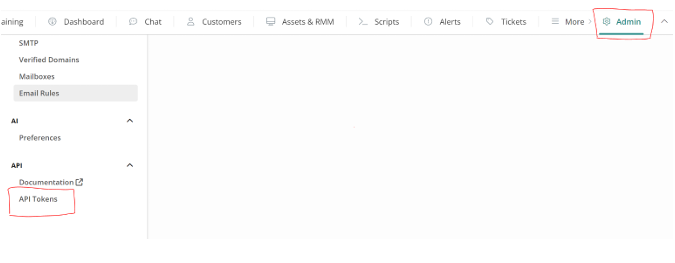
Navigate to API Tokens:
In the Syncro user interface, go to Admin > API Tokens.
Create New Token:
Click the ‘New Token’ button to initiate the token creation process.
Configure Token Permissions:
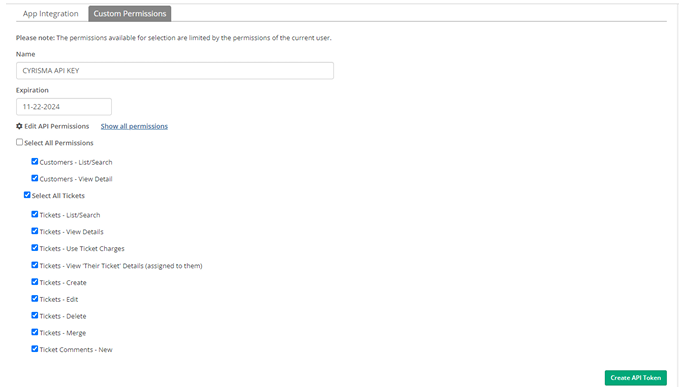
On the ‘New Token’ page, navigate to the ‘Custom Permissions’ tab.
Give the token a meaningful name.
(Optional) Assign an expiration date for the token if desired.
Grant the new token the following permissions:
Customers: List/Search, View Detail
Tickets: All
Ticket Comments: New
Finalize Token Creation:
Click the ‘Create API Token’ button at the bottom of the form to finalize the process.
Securely Save the Token:
Once the token is created, ensure you save the full key (not just the partial key) in a secure location. Note that the full key will not be displayed again, so it is crucial to keep it safe.