Patch a Root Cause
Last updated: September 17, 2026
Use Patchable Root Causes to patch an application or operating system on selected assets.
Select the Targets
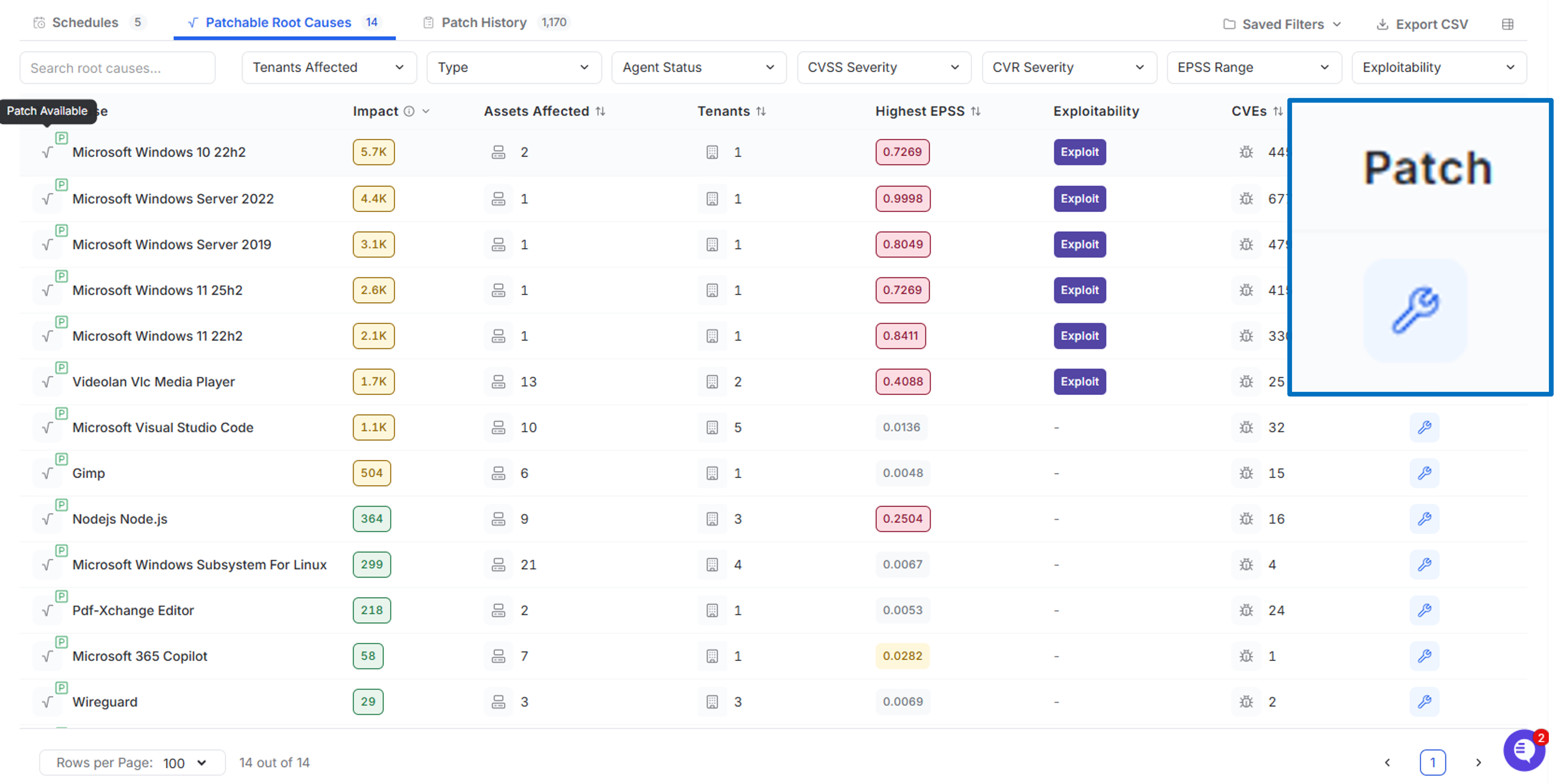
Go to Patching > Patchable Root Causes.
Find the root cause you want to patch.
Select the patch icon.
Select one or more eligible assets.
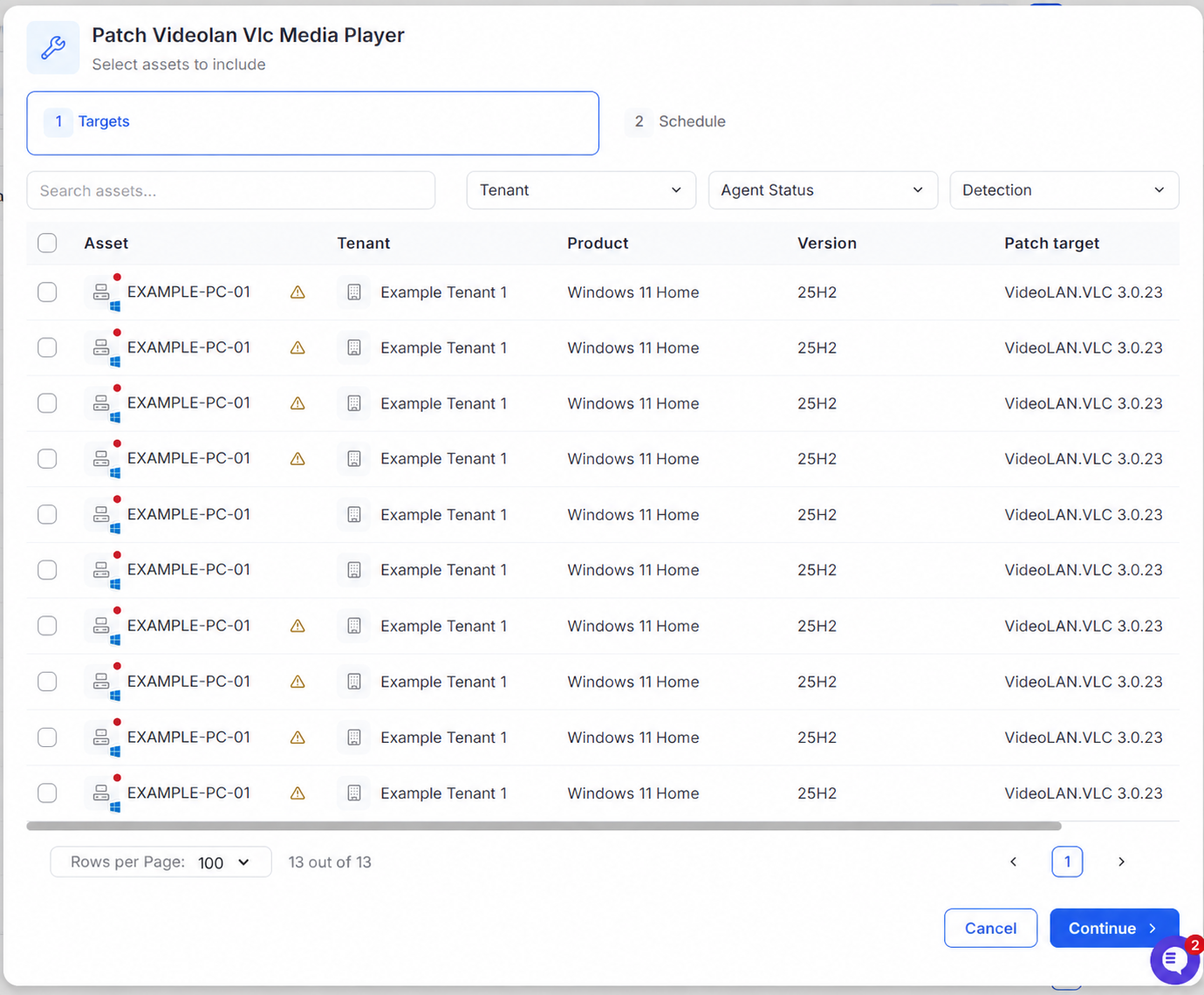
Select Continue.
Only assets eligible to receive the selected patch are shown.
MSP only: Use the tenant filter to find assets from a specific tenant. Tenant users see eligible assets from their current tenant.
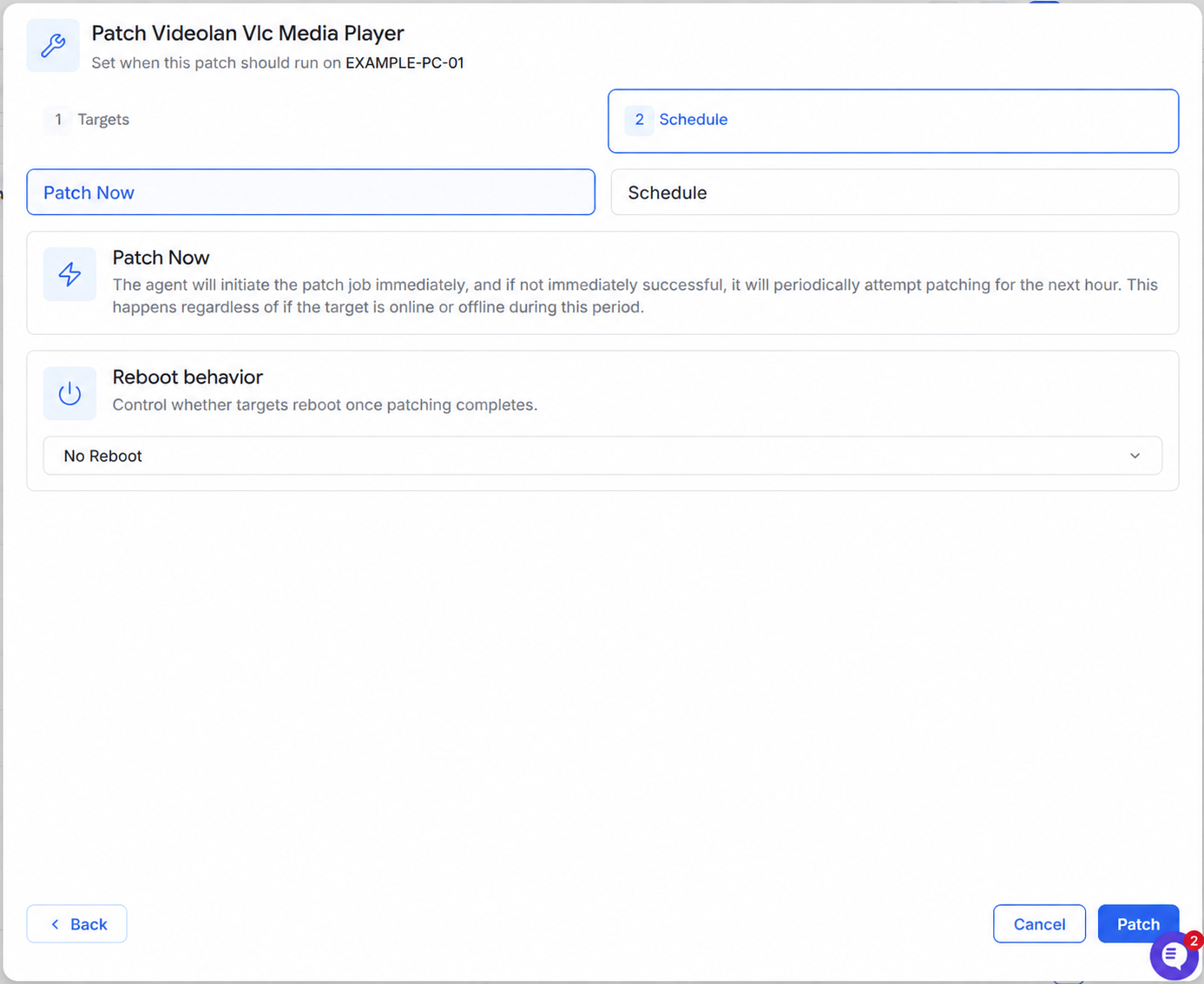
Choose When to Patch
Select one of the following:
Patch Now starts the patch job immediately. If unsuccessful, the agent retries periodically for the next hour.
Schedule runs the patch at the selected date and time.
Choose the reboot behavior, then select Patch.
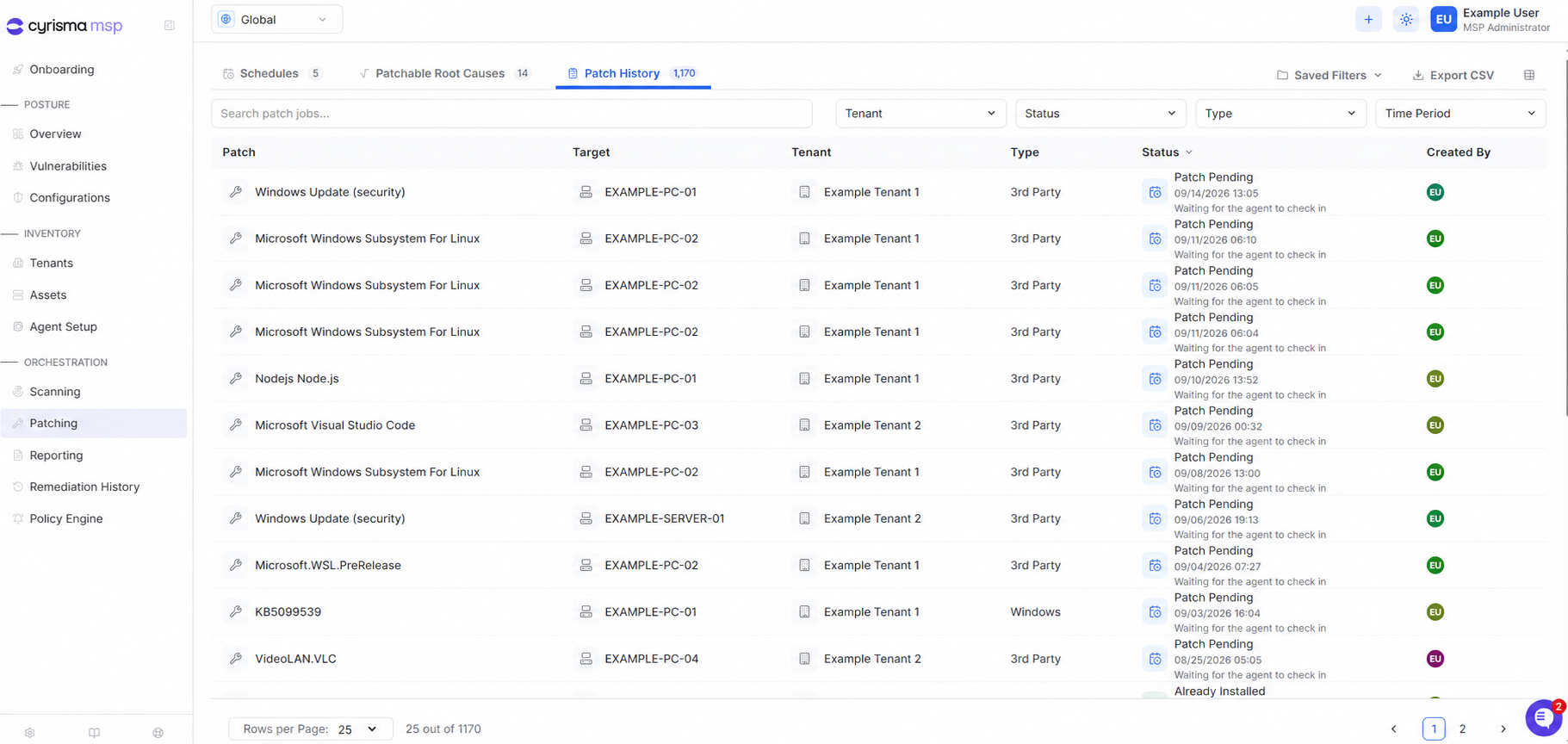
Track the Patch
Go to Patching > Patch History to view the patch job and its current status.